
Dell Latitude 12 7000 Series Quick Start Guide

Dell Latitude 12 7000 Series Quick Start Guide
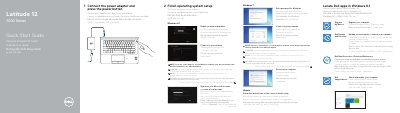

Dell Latitude 12 7000 Series Quick Start Guide - cover page
Brand
DELL
Category
Laptops
Document type
User Manual
Language
English
Pages
2
File format
PDF
File size
546 KB
Published
20 November, 2023
Updated
20 November, 2023
MD5 checksum
41CCCA66E0B80E6CD06F105FE5EDC4EB

About this manual

This document serves as a multilingual Quick Start Guide for the Dell Latitude 12 7000 Series laptops. It provides step-by-step instructions for initial setup, including connecting the power adapter, locating Dell apps in Windows 8.1, registering the device, and performing backups or recovery. The guide also covers enabling security updates and connecting to a network.

What's inside

  • Connect the power adapter
  • Locate Dell apps
  • Register My Device
  • Dell Backup and Recovery
  • Dell Data Protection
  • Dell SupportAssist
  • Finish operating system setup
  • Enable security and updates
  • Connect to your network
  • Features

Specifications

Regulatory modelP26S
Regulatory typeP26S001
Computer modelLatitude 12-7270/E7270

Frequently asked questions

What should I do if I am connecting to a secured wireless network?

Enter the password for the wireless network access when prompted.

How do I protect my computer from advanced malware attacks?

Use Dell Data Protection | Protected Workspace.

Download PDF (546 KB)

More DELL Manuals


View all DELL manuals →