
Key facts
Start here
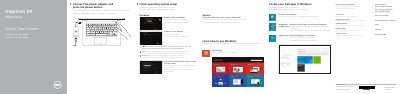
Dell Inspiron 14-3452 Quick Start Guide
This document serves as a Quick Start Guide for the Dell Inspiron 14-3452 laptop. It provides initial setup instructions including connecting the power adapter, pressing the power button, and configuring the Windows operating system. The guide also covers enabling security updates, connecting to a network, registering the computer, and using the Dell Backup and Recovery software.
Read onlineDell Inspiron 14-3452 specifications
| HDMI port | Present |
|---|---|
| USB 3.0 port | Present |
| USB 2.0 ports | 2 |
| Media-card reader | Present |
| Headset port | Present |
| Security-cable slot | Present |
| Power-adapter port | Present |
| Camera | Present |
All Dell Inspiron 14-3452 documents by type
The shortest path to a working setup, usually only a few pages.
Questions answered in these manuals
How do I turn on the computer?
Connect the power adapter and press the power button.
How many USB 2.0 ports does the computer have?
It has two USB 2.0 ports.
How do I start the Dell Inspiron 14-3452?
Connect the power adapter and press the power button.
Where can I find product support and manuals?
Dell lists product support and manuals at dell.com/support and dell.com/support/manuals.
What should I do first to start the computer?
Connect the power adapter and press the power button.
Does the hard-drive activity light work on computers with eMMC?
No, the hard-drive activity light does not work on computers with eMMC.