
Dell Latitude 12 7000 Series 2-in-1 Quick Start Guide
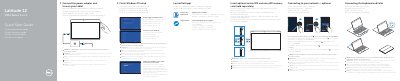
This Dell Quick Start Guide covers the Latitude 12 7000 Series 2-in-1 tablet, computer model Latitude 12 7275. It explains first-time setup: connect the power adapter and turn on the tablet, finish Windows 10 setup, enable Support and Protection, and sign in to a Microsoft account or create a local account.
The guide also covers connecting to a network, inserting an optional micro-SIM or microSD memory card, locating Dell apps, registering the computer, using SupportAssist, and connecting or disconnecting the keyboard and Folio. A features diagram identifies the buttons, ports, cameras, and dock pins.
| Computer model | Latitude 12 7275 |
|---|---|
| Micro-SIM reader | LTE/HSPA+ models only |
Connect the power adapter and turn on your tablet, then finish Windows 10 setup.
It turns on for 2 seconds when the tablet-docking and keyboard-docking pins are aligned correctly.
It is recommended to insert the micro-SIM card and the microSD card before powering on the tablet.