
Key facts
Start here
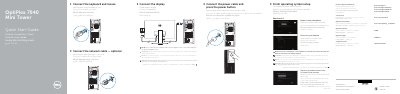
Dell OptiPlex 7040 Mini Tower Quick Start Guide
The Dell OptiPlex 7040 Mini Tower Quick Start Guide provides step-by-step instructions for initial hardware setup, including connecting the keyboard, mouse, display, network cable, and power cable. It also covers connecting to a network and finishing the operating system setup.
The guide explains how to enable security and updates, sign in to a Microsoft account or create a local account, set up a Windows password, and protect the computer. It also directs users to Dell support resources, Dell apps, and services like Dell Backup and Recovery, Dell Data Protection, and Dell SupportAssist.
Dell OptiPlex 7040 MT specifications
| Regulatory model | D18M |
|---|---|
| Regulatory type | D18M001 |
| Computer model | OptiPlex 7040 MT |
| HDMI connector | Present |
| DisplayPort connector | Present (two) |
| VGA connector | Optional |
| Network connector | Present |
All Dell OptiPlex 7040 MT documents by type
The shortest path to a working setup, usually only a few pages.
- Dell OptiPlex 7040 Mini Tower Quick Start Guide 2 p
- Dell OptiPlex 7040 Mini Tower Quick Start Guide 2 p
- Dell OptiPlex 7040 Mini Tower Quick Start Guide 2 p
- Dell OptiPlex 7040 MT Quick Start Guide 2 p
- Dell OptiPlex 7040 Mini Tower Quick Start Guide 2 p
- Dell OptiPlex 7040 MT Mini Tower Quick Start Guide 2 p
- Dell OptiPlex 7040 MT Quick Start Guide 2 p
Questions answered in these manuals
How do I connect the display to the Dell OptiPlex 7040 Mini Tower?
Connect the display to the discrete graphics card if the computer was ordered with one.
Where can I find product support and manuals for the Dell OptiPlex 7040?
Visit Dell.com/support or Dell.com/support/manuals for product support and manuals.
How do I connect the display if I ordered a discrete graphics card?
Connect the display to the discrete graphics card.
What do I do when connecting to a secured wireless network?
Enter the password for the wireless network access when prompted.
Where should I connect the display if the computer has a discrete graphics card?
Connect the display to the discrete graphics card.
What should I do when connecting to a secured wireless network?
Enter the password for the wireless network access when prompted.