
Key facts
Start here
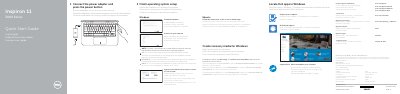
Dell Inspiron 11 3000 Series (11-3162) Computer Quick Start Guide
This quick start guide for the Dell Inspiron 11 3000 Series (computer model Inspiron 11-3162) walks through the first steps: connecting the power adapter and pressing the power button, finishing operating system setup for Windows or Ubuntu, enabling Dell updates, connecting to a network, signing in to a Microsoft account or creating a local account, registering the computer, using SupportAssist to check and update the computer, and creating recovery media for Windows. It also explains where to locate Dell apps in Windows.
The second page shows the computer features by number, including the microphone, camera and camera-status light, power-adapter port, HDMI port, USB 3.0 and USB 2.0 ports, media-card reader, left- and right-click areas, headset port, security-cable slot, power button and Service Tag label, and lists the shortcut keys for audio, playback, display switching, search, brightness, scroll lock, Pause/Break, sleep, Fn-key lock and wireless. Regulatory and safety information is referenced, along with the NOM notice listing regulatory model P24T, regulatory type P24T001 and power-adapter ratings.
Dell Inspiron 11 3000 Series (Inspiron 11-3162) specifications
| Computer model | Inspiron 11-3162 |
|---|---|
| Regulatory model | P24T |
| Regulatory type | P24T001 |
| Power adapter input voltage | 100 V AC to 240 V AC |
| Power adapter input frequency | 50 Hz to 60 Hz |
| Power adapter input current | 1.30 A |
| Power adapter output voltage | 19.50 V DC |
| Power adapter output current | 2.31 A |
| Country of origin | Made in China |
Source: Dell Inspiron 11 3000 Series (11-3162) Computer Quick Start Guide
All Dell Inspiron 11 3000 Series (Inspiron 11-3162) documents by type
The shortest path to a working setup, usually only a few pages.
Disassembly, diagnostics and part numbers, for repair.
Questions answered in these manuals
How do I start the computer for the first time?
Connect the power adapter and press the power button.
From: Dell Inspiron 11 3000 Series (11-3162) Computer Quick Start Guide
Which operating systems are covered by the setup steps?
The guide gives setup steps for Windows and Ubuntu, following the instructions on the screen.
From: Dell Inspiron 11 3000 Series (11-3162) Computer Quick Start Guide
How do I start the Inspiron 11 3000 Series for the first time?
Connect the power adapter, press the power button, and follow the on-screen instructions to finish operating system setup.
From: Dell Inspiron 11 3000 Series (11-3162) Laptop Quick Start Guide
What should I enter when connecting to a secured wireless network?
Enter the password for the wireless network access when prompted.
From: Dell Inspiron 11 3000 Series (11-3162) Laptop Quick Start Guide
What computer model does this manual cover?
It covers the Inspiron 11–3162 computer model.
From: Dell Inspiron 11 3000 Series Inspiron 11–3162 Laptop Service Manual
What tools are recommended for servicing the computer?
Use a Philips screwdriver, a flat screwdriver, and a pointed plastic tool.
From: Dell Inspiron 11 3000 Series Inspiron 11–3162 Laptop Service Manual