
Dell Latitude 12 7000 Series Notebook Quick Start Guide

The Dell Latitude 12 7000 Series Notebook Quick Start Guide
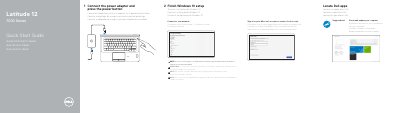

Dell Latitude 12 7000 Series Notebook Quick Start Guide - cover page
Brand
DELL
Category
Laptops
Document type
Quick Start Guide
Language
English
Pages
2
File format
PDF
File size
234 KB
Published
20 November, 2023
Updated
20 November, 2023
MD5 checksum
B1DDDF55968C7698AC24F588C54A60E2

About this manual

This Quick Start Guide for the Dell Latitude 12 7000 Series notebook helps users get started quickly. It covers essential initial steps such as connecting the power adapter, locating Dell apps, and completing the Windows 10 setup process. The guide also provides specific instructions for connecting to a network, noting that a password is required for secured wireless networks.

What's inside

  • Connect the power adapter
  • Locate Dell apps
  • Finish Windows 10 setup
  • Connect to your network
  • Sign in to your Microsoft account
  • Features
  • Product support and manuals
  • Regulatory and safety

Specifications

Input Voltage100 V CA–240 V CA
Input Current (max)2.5 A
Input Frequency50 Hz–60 Hz
Output Voltage19.5 V DC
Output Current3.34 A–4.62 A

Frequently asked questions

What should I do if I am connecting to a secured wireless network?

Enter the password for the wireless network access when prompted.

Where can I find Dell support and manuals?

You can visit Dell.com/support or Dell.com/support/manuals.

Download PDF (234 KB)

More DELL Manuals


View all DELL manuals →