
Key facts
Start here
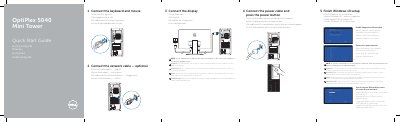
Dell OptiPlex 5040 Mini Tower Quick Start Guide
This is the Quick Start Guide for the Dell OptiPlex 5040 Mini Tower computer (regulatory model D18M, regulatory type D18M001). It walks through the basic connections in order: keyboard and mouse, optional network cable, power cable and power button, and the display — with a note that a computer ordered with a discrete graphics card should have the display connected to that card.
The guide then covers finishing Windows 10 setup, enabling Support and Protection, connecting to a network (including entering the password for a secured wireless network) and signing in to a Microsoft account or creating a local account. A features section lists the front and back connectors and controls with numbered callouts, and the last part points to Dell apps, Dell support and regulatory compliance pages.
Dell OptiPlex 5040 MT specifications
| Computer model | OptiPlex 5040 MT |
|---|---|
| Regulatory model | D18M |
| Regulatory type | D18M001 |
| USB | USB 3.0 connectors, USB 2.0 connector with PowerShare, USB 2.0 connectors supporting Smart Power On |
| Display connectors | HDMI connector, DisplayPort connectors, VGA connector (optional) |
| Other connectors | Line-out connector, headphone connector, serial connector, PS2/keyboard connector, PS2/mouse connector, network connector |
| Expansion | Optical-drive bay, expansion-card slots, memory card reader (optional) |
| Diagnostics and security | Power-supply diagnostic button and light, cable-cover lock slot, security-cable slot, padlock ring |
All Dell OptiPlex 5040 MT documents by type
The shortest path to a working setup, usually only a few pages.
Questions answered in these manuals
Where should I connect the display if the computer has a discrete graphics card?
Connect the display to the discrete graphics card instead of the onboard connector.
What do I need when connecting to a secured wireless network?
Enter the password for the wireless network access when prompted.
What is the computer model covered by this guide?
The guide covers the OptiPlex 5040 MT computer model.
Where should I connect the display if my computer has a discrete graphics card?
Connect the display to the discrete graphics card.
How do I connect the display if I have a discrete graphics card?
If you ordered your computer with a discrete graphics card, connect the display to the discrete graphics card.
What should I do if I am connecting to a secured wireless network?
Enter the password for the wireless network access when prompted.