
Dell Latitude 12 7000 Series Quick Start Guide
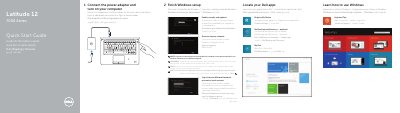
This guide covers the initial setup of the Dell Latitude 12 7000 Series, including connecting the power adapter, turning on the computer, completing Windows setup, and locating Dell applications. It also describes optional Dell Backup and Recovery, My Dell, security and update setup, and network connection steps.
The features section identifies the computer's status lights, microphones, camera, ports, card readers, touchpad, battery, speakers, and other hardware elements. Regulatory information lists model P22S, regulatory type P22S002, and computer model Latitude 7250/E7250.
| Regulatory model | P22S |
|---|---|
| Regulatory type | P22S002 |
| Computer model | Latitude 7250/E7250 |
| USB connector type | USB 3.0 |
| Video connectors | Mini-DisplayPort and HDMI |
| Optional contactless smart-card reader | Near Field Communication (NFC) reader (optional) |
Connect the power adapter and turn on your computer, then finish Windows setup.
Enter the password for wireless network access when prompted.
The guide lists Dell Backup and Recovery, My Dell, and Dell apps to locate.
The computer model is Latitude 7250/E7250, with regulatory model P22S and regulatory type P22S002.