
Key facts
- Brand
- DELL
- Model
- R7910
- Documents
- 9
- Languages
- CS · EN · ZH
- Last added
- 2023-11-25
Start here
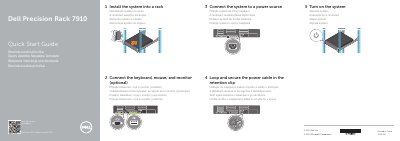
Dell R7910 Quick Start Guide
This guide helps you install the Dell Precision Rack 7910 workstation into a rack and connect peripherals and power. It includes diagrams and labels for hardware components such as VGA, USB, and PCIe slots. The guide also provides links to Dell support and regulatory information.
The document is multilingual, with text in Czech, Hungarian, Polish, and Slovak, and includes numbered steps for installation and connection procedures. This manual is written in Czech.
Dell R7910 specifications
| Regulatory model | D02X |
|---|---|
| Regulatory type | D02X003 |
| Computer model | Dell Precision Tower 7910 |
All Dell R7910 documents by type
The shortest path to a working setup, usually only a few pages.
Day-to-day operation, settings and troubleshooting. Start here if the product is already set up.
Disassembly, diagnostics and part numbers, for repair.
Questions answered in these manuals
What is the first step in setting up the system?
Install the system into a rack.
What should be done with the power cable after the system is connected to a power source?
Loop the power cable and secure it in the retention clip.
Where can I get product support and manuals for the Dell Precision Tower 7910?
Dell lists product support at dell.com/support and manuals at dell.com/support/manuals.
What is the regulatory model number?
The regulatory model is D02X.
Is the network cable connection required?
No. The guide labels the network cable connection as optional.
Which connector can be used for the display?
A DisplayPort connector can be used for the display.