
Dell Latitude 12 7000 Series Quick Start Guide
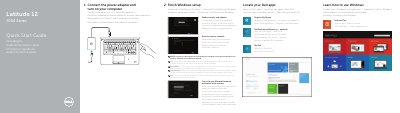
This document serves as a quick start guide for the Dell Latitude 12 7000 Series, providing instructions in English, Dutch, French, German, and Italian. It outlines the initial steps for users, including connecting the power adapter, turning on the computer, and completing the Windows setup process. The guide also directs users to locate Dell applications and register their device.
No, the fingerprint reader is listed as an optional feature.
You must connect the power adapter and turn on the computer.
You must enter the password for the wireless network access when prompted.
The model may include a contactless smart-card reader, fingerprint reader, and dock connector.