
Key facts
Start here
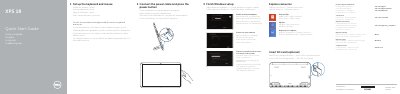
Dell XPS 18 Series Computer Quick Start Guide
Quick Start Guide 2 pages · 205 KB · EN
This quick start guide helps set up the Dell XPS 18 series computer, including the keyboard and mouse, power connection, Windows setup, security and updates, Microsoft account sign-in, and network connection.
It also identifies the computer's features and ports, describes the basic and optional powered stands, and lists product support, manuals, contact, and regulatory information.
Dell XPS 18 series specifications
| Microphones | 2 |
|---|---|
| Volume-control buttons | 2 |
| USB 3.0 ports | 2 |
All Dell XPS 18 series documents by type
Quick Start Guide 2
The shortest path to a working setup, usually only a few pages.
Questions answered in these manuals
Where can I find documentation for the wireless keyboard and mouse?
See the documentation that shipped with the wireless keyboard and mouse.
What does the docking-status light on the powered stand indicate?
It turns on when the computer is correctly seated in the powered stand.
Where can users find Dell product support and manuals?
Users can visit dell.com/support and dell.com/support/manuals.
Is inserting an SD card required?
Inserting an SD card is optional.