
Key facts
Start here
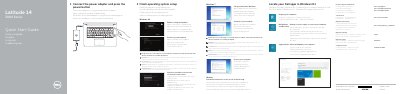
Dell Latitude 14 3000 Series (14-3470) Laptop Quick Start Guide
This Dell quick start guide for the Latitude 14 3000 Series laptop, computer model 14-3470, gives the basic steps to connect the power adapter, finish operating system setup, enable security and updates, connect to a network, and set a Windows password. It also points to Dell support pages for product support, manuals, contact, and regulatory compliance.
The second page identifies the computer's features, including the camera, microphone, power button, security-cable slot, VGA connector, USB 2.0 connector, memory card reader, optional fingerprint reader, status lights, speakers, touchpad, headset connector, two USB 3.0 connectors, HDMI connector, network connector, power connector, battery, battery release latch, and service-tag label.
Dell Latitude 14 3000 Series (14-3470) specifications
| Computer model | Latitude 14-3470 |
|---|---|
| Regulatory model | P63G |
| Regulatory type | P63G001 |
| USB 3.0 ports | 2 |
| Fingerprint reader | Optional |
| Power button | No LED indicator |
Source: Dell Latitude 14 3000 Series (14-3470) Laptop Quick Start Guide
All Dell Latitude 14 3000 Series (14-3470) documents by type
The shortest path to a working setup, usually only a few pages.
Questions answered in these manuals
How do I start the computer?
Connect the power adapter and press the power button.
From: Dell Latitude 14 3000 Series (14-3470) Laptop Quick Start Guide
What should I do when connecting to a secured wireless network?
Enter the password for the wireless network access when prompted.
From: Dell Latitude 14 3000 Series (14-3470) Laptop Quick Start Guide
How do I start the computer?
Connect the power adapter and press the power button.
From: Dell Latitude 14 3000 Series (14-3470) Laptop Quick Start Guide
What Windows version is set up?
The guide refers to finishing Windows 10 setup.
From: Dell Latitude 14 3000 Series (14-3470) Laptop Quick Start Guide