
Key facts
Start here
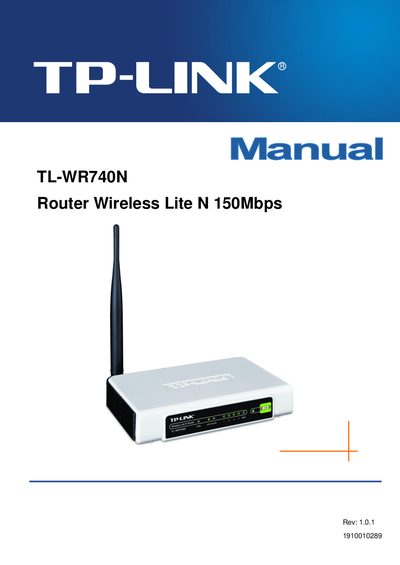
TP-LINK TL-WR740N Router Wireless Lite N 150Mbps Manual
This manual provides a complete guide to installing and configuring the TP-Link TL‑WR740N Wireless Lite N router. It includes safety notices, FCC and CE declarations, and detailed instructions for hardware connection, wireless settings, security, DHCP, DDNS, and firmware upgrades.
The document also contains a quick‑start guide, a full table of contents with chapters on wireless configuration, parental controls, port triggering, and a glossary of networking terms, helping users get the most out of their router.
TP-Link TL-WR740N specifications
| Wireless Speed | up to 150 Mbps |
|---|---|
| Frequency Range | 2.4 – 2.4835 GHz |
| Antenna | 5 dBi Fixed Omni‑directional |
| Ethernet Port | 1 × 10/100 Mbps Auto‑Sensing RJ45 (Auto MDI/MDIX) |
| Operating Temperature | 0 °C – 40 °C (32 °F – 104 °F) |
| Dimensions | 6.9 × 4.6 × 1.3 in (174 × 118 × 33 mm) |
| Maximum Transmit Power | 20 dBm (EIRP) |
| Receiver Sensitivity (1 Mbps) | -90 dBm @ 8 % PER |
All TP-Link TL-WR740N documents by type
Day-to-day operation, settings and troubleshooting. Start here if the product is already set up.
Questions answered in these manuals
How can I set up the TL‑WR740N quickly?
Press the QSS (Quick Secure Setup) button to start the guided wireless setup process.
What wireless speed does the TL‑WR740N support?
The router provides wireless speeds of up to 150 Mbps when connected to compatible devices.
How can I find the MAC address of my computer?
Open the Network Connection Details page; the "Physical Address" (实际地址) shows the MAC address in the format XX‑XX‑XX‑XX‑XX‑XX.
From: TP-Link TL-WR740N 150M Wireless Broadband Router User Manual
What wireless security standards does the router support?
The router supports 64/128/152‑bit WEP, WPA/WPA2, WPA‑PSK/WPA2‑PSK, TKIP and AES encryption.
From: TP-Link TL-WR740N 150M Wireless Broadband Router User Manual