
Key facts
Start here
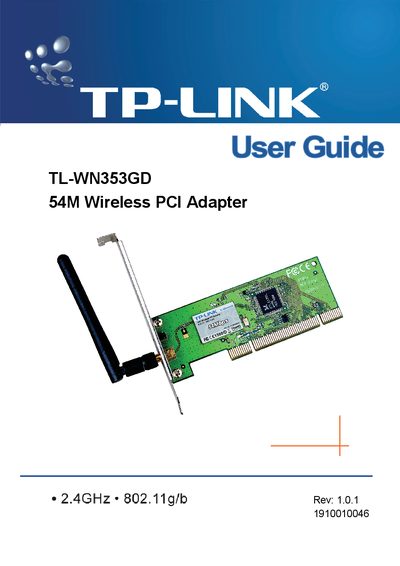
TP-LINK TL-WN353GD 54M Wireless PCI Adapter User Guide
This guide introduces the TL-WN353GD 54M Wireless PCI Adapter, a 2.4 GHz 802.11g/b device that offers up to 54 Mbps data rates and WPA/WPA2 security. It explains the adapter’s features, LED status indicators, and the detachable reverse‑SMA antenna.
The manual covers hardware installation, software setup for Windows, configuration options such as profile management and Wi‑Fi Protect, and includes a glossary of wireless networking terms. Appendices provide detailed specifications and additional reference information.
TP-Link TL-WN353GD specifications
| Interface | 32-bit PCI |
|---|---|
| Wireless Signal Rates | 119:54/48/36/24/18/12/9/6 Mbps (Auto Rate Sensing); 11b:11/5.5/3/2/1 Mbps (Auto Rate Sensing) |
| Frequency Range | 2.4‑2.4835 GHz |
| Modulation Type | 1M DBPSK, 2M DOPSK, 5.5M CCK, 6‑54 Mbps OFDM |
| Receiver Sensitivity | -68 dBm @10 % PER (54 Mbps); -85 dBm @8 % PER (11 Mbps); -88 dBm @10 % PER (6 Mbps); -90 dBm @8 % PER (1 Mbps) |
| Antenna Type | Omni‑directional, detachable |
| Wireless Security | 64/128/152‑bit WEP, WPA/WPA2, WPA‑PSK/WPA2‑PSK (TKIP/AES) |
| Media Access Control | CSMA/CA with ACK |
| Range | Indoors up to 100 m, outdoors up to 300 m |
| Supported Operating Systems | Windows 2000, XP, Vista |
| Operating Temperature | 0 °C – 40 °C (32 °F – 104 °F) |
| Storage Temperature | -40 °C – 70 °C (-40 °F – 158 °F) |
| Relative Humidity | 10 % – 90 % (non‑condensing) |
| Storage Humidity | 5 % – 95 % (non‑condensing) |
| Dimensions | 133 × 121 × 22 mm (5.2 × 4.8 × 0.9 in) |
Source: TP-Link TL-WN353GD 54M Wireless PCI Adapter User Guide
All TP-Link TL-WN353GD documents by type
Day-to-day operation, settings and troubleshooting. Start here if the product is already set up.
Questions answered in these manuals
What wireless standards does the TL‑WN353GD support?
It supports IEEE 802.11b and IEEE 802.11g (referred to as 802.119 in the document).
From: TP-Link TL-WN353GD 54M Wireless PCI Adapter User Guide
Which operating systems can be used with the adapter?
The adapter works with Windows 2000, Windows XP, and Windows Vista.
From: TP-Link TL-WN353GD 54M Wireless PCI Adapter User Guide
Which Windows versions are supported by the adapter?
The adapter works with Windows 98, ME, 2000, 2003, XP, Vista, and XP64.
From: TP-LINK TL-WN353GD 54M Wireless PCI Adapter User Guide
What security features does the adapter provide?
It supports WPA/WPA2, IEEE802.1x authentication, TKIP/AES encryption, and 64/128/152‑bit WEP encryption.
From: TP-LINK TL-WN353GD 54M Wireless PCI Adapter User Guide
How do I install the TL-WN353GD PCI Adapter?
Turn off the PC, open the case, insert the adapter into an available PCI slot, secure it with a screw, close the case, then reconnect power and turn the PC on.
From: TP-Link TL-WN353GD 54M Wireless PCI Adapter User Manual
What does the green flashing LED indicate?
A green flashing LED means the adapter is actively transmitting and receiving data.
From: TP-Link TL-WN353GD 54M Wireless PCI Adapter User Manual