
Key facts
- Brand
- TP-Link
- Model
- WR642G
- Documents
- 2
- Languages
- EN · ZH
- Last added
- 2012-05-08
Start here
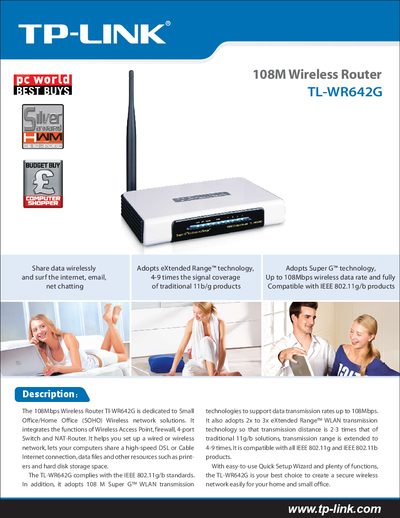
TP-Link TL-WR642G 108M Wireless Router User Manual
The TL-WR642G is a 108Mbps wireless router designed for small office/home office (SOHO) environments. It combines a wireless access point, firewall, 4‑port switch, and NAT router, allowing wired or wireless networking, internet sharing, and resource access such as printers and storage.
The manual includes a Quick Setup Wizard for easy configuration, details on supported standards (IEEE 802.11g/b), Super G™ technology, extended range, security options, and full specifications of interfaces, antenna, power supply, and environmental limits.
TP-Link WR642G specifications
| Wireless Standards | IEEE 802.11g/b |
|---|---|
| Interface | 1 10/100M auto‑sensing RJ45 Port (Auto MDI/MDIX) |
| Maximum Wireless Data Rate | 108 Mbps (Super G™) |
| Frequency Range | 2.4‑2.4835 GHz |
| Wireless Transmit Power | 17 dBm (max) |
| Antenna | 3 dBi detachable omni‑directional antenna |
| Power Supply | 9 VAC / 0.8 A linear PSU |
| Operating Temperature | 0 °C ~ 40 °C |
| Storage Temperature | -40 °C ~ 70 °C |
| Dimensions | 174 mm × 111 mm × 30 mm |
All TP-Link WR642G documents by type
Day-to-day operation, settings and troubleshooting. Start here if the product is already set up.
Mounting, wiring and first power-up. Read it before the hardware goes in.
Questions answered in these manuals
How do I set up the TL‑WR642G router?
Use the built‑in Quick Setup Wizard, which guides you through basic configuration steps.
What wireless standards does the TL‑WR642G support?
It complies with IEEE 802.11g and IEEE 802.11b standards.
How do I enable the PSP wireless function?
Make sure the PSP wireless indicator is lit before proceeding.
From: TP-Link WR641G/WR642G/WR541G/WR542G/WR340G Wireless Router PSP Connection Installation Guide
How do I select the connection mode for the PSP?
In Network Settings, choose the desired connection mode and then confirm the selection.
From: TP-Link WR641G/WR642G/WR541G/WR542G/WR340G Wireless Router PSP Connection Installation Guide