
Key facts
Start here
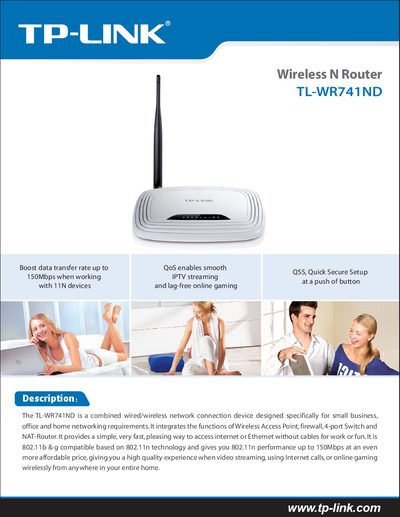
TP-Link TL-WR741ND Wireless N Router User Guide
The TL‑WR741ND is a combined wired/wireless network device that integrates a wireless access point, firewall, 4‑port switch and NAT router. This guide explains how to install, configure and use the router for home or small‑business environments.
Key features include up to 150 Mbps wireless speed, QSS (Quick Secure Setup) button, detachable 5 dBi omni‑directional antenna, and support for IEEE 802.11b/g/n standards. Technical specifications such as frequency range, transmit power, power supply and operating temperatures are listed in the document.
TP-Link TL-WR741ND specifications
| Maximum wireless data rate | 150 Mbps |
|---|---|
| Frequency range | 2.4‑2.4835 GHz |
| Wireless transmit power (EIRP) | 20 dBm (MAX) |
| RJ45 ports | 4 auto‑sensing 10/100 Mbps ports |
| Power supply | 9 V DC / 0.6 A switching PSU |
| Operating temperature | 0 °C ~ 40 °C |
| Storage temperature | -40 °C ~ 70 °C |
| Dimensions | 6.9 × 4.6 × 1.3 in (174 × 118 × 33 mm) |
| Supported wireless standards | IEEE 802.11b/g/n |
All TP-Link TL-WR741ND documents by type
Day-to-day operation, settings and troubleshooting. Start here if the product is already set up.
Questions answered in these manuals
How can I set up the TL‑WR741ND quickly?
Use the QSS (Quick Secure Setup) button to configure the router with a single press.
What is the maximum wireless speed of the TL‑WR741ND?
The router supports up to 150 Mbps wireless data rate.
What is the maximum wireless speed of the TL‑WR741ND?
The router supports up to 150 Mbps wireless data rate.
How many Ethernet ports does the TL‑WR741ND provide?
It has four 10/100 M auto‑sensing RJ45 ports plus one additional 10/100 M auto‑sensing RJ45 port.