
Key facts
Start here
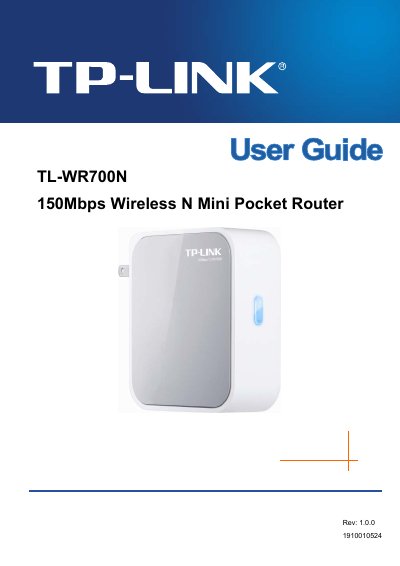
TP-LINK TL-WR700N 150Mbps Wireless N Mini Pocket Router User Guide
This manual introduces the TL‑WR700N 150Mbps Wireless N Mini Pocket Router, describing its compact design, supported IEEE 802.11n/g/b standards, and five operation modes (AP, Router, Repeater, Bridge, Client). It outlines the main features, panel layout, and LED indicators, helping users understand the device’s capabilities and hardware.
The guide walks through installation, quick setup, and detailed configuration for each mode, including network settings, wireless security, DHCP, and system tools. Appendices provide a FAQ, PC configuration steps, full technical specifications, and a glossary of networking terms.
TP-Link 150MBPS specifications
| Wireless Speed | Up to 150 Mbps |
|---|---|
| Downstream Data Rate | Up to 24 Mbps |
| Upstream Data Rate | Up to 3.5 Mbps (Annex M) |
| LAN Ports | 410/100 Mbps RJ45 |
| WAN Port | 7 RJ11 DSL ports |
| Operating Frequency | 2.400‑2.4835 GHz |
| Maximum EIRP | 20 dBm |
| Dimensions | 6.9 × 4.7 × 1.1 in (174 × 120 × 29 mm) |
| Operating Temperature | 0 °C ~ 40 °C |
Source: TP-LINK TD-W8951ND 150Mbps Wireless N ADSL2+ Modem Router Manual
All TP-Link 150MBPS documents by type
Day-to-day operation, settings and troubleshooting. Start here if the product is already set up.
- TP-LINK TD-W8951ND 150Mbps Wireless N ADSL2+ Modem Router Manual 3 p
- TP-Link TL-WN723N 150Mbps Mini Wireless N USB Adapter User Guide 42 p
- TP-Link TD-W8950ND 150Mbps Wireless Lite N ADSL2+ Modem Router User Guide 94 p
- TP-Link TL-WN781ND 150Mbps Wireless Lite N PCI Express Adapter User Guide 2 p
- TP-LINK TL-WN751ND 150Mbps Wireless N PCI Adapter User Guide
- TP-Link TL-WN721N 150Mbps Wireless Lite-N USB Adapter User Guide 38 p
- TP-LINK TL-WR740N Router Wireless Lite N 150Mbps Manual 111 p
- TP-LINK TD-W8151N 150Mbps Wireless N ADSL2+ Modem Router User Guide 69 p
- TP-LINK TL-WR700N 150Mbps Wireless N Mini Pocket Router User Guide 175 p
- TP-LINK TD-W8950ND 150Mbps Wireless Lite N ADSL2+ Modem Router User Manual 94 p
- TP-LINK TL-WN721N 150Mbps Wireless N USB Adapter User Guide
- TP-LINK TL-WA730RE 150Mbps Wireless Range Extender User Guide 64 p
Questions answered in these manuals
How do I quickly set up the TD‑W8951ND?
Use the Easy Setup Assistant Utility, which supports Windows 2000/XP/Vista/Windows 7 and provides quick, hassle‑free installation.
From: TP-LINK TD-W8951ND 150Mbps Wireless N ADSL2+ Modem Router Manual
What wireless speed does the TD‑W8951ND support?
It supports wireless speeds up to 150 Mbps, offering up to nine times the speed of legacy 11g products.
From: TP-LINK TD-W8951ND 150Mbps Wireless N ADSL2+ Modem Router Manual
How do I install the TL-WN723N adapter?
Run the hardware installation steps in Chapter 2, then install the TP‑LINK Wireless Configuration Utility (TWCU) as described in the software installation section.
From: TP-Link TL-WN723N 150Mbps Mini Wireless N USB Adapter User Guide
What wireless security protocols does the TL-WN723N support?
It supports WPA/WPA2 security with both TKIP and AES encryption.
From: TP-Link TL-WN723N 150Mbps Mini Wireless N USB Adapter User Guide
What should I do if the router causes harmful interference?
Reorient or relocate the receiving antenna, increase the separation between the equipment and receiver, connect the equipment to a different circuit, or consult a dealer or experienced radio/TV technician.
From: TP-Link TD-W8950ND 150Mbps Wireless Lite N ADSL2+ Modem Router User Guide
How can I manage the router’s settings?
Use the web‑based utility, which is a web page that allows you to manage the router.
From: TP-Link TD-W8950ND 150Mbps Wireless Lite N ADSL2+ Modem Router User Guide