
Key facts
Start here
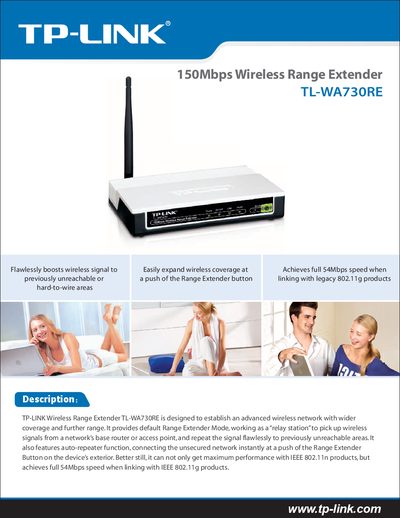
TP-Link TL-WA730RE Wireless Range Extender Quick Start Guide
The TL-WA730RE is a 150Mbps wireless range extender that expands Wi‑Fi coverage by receiving signals from an existing router or access point and retransmitting them to hard‑to‑reach areas. It supports IEEE 802.11b/g/n standards and offers an auto‑repeater function that activates with a single press of the Range Extender button.
The guide provides a brief installation procedure, lists key technical specifications such as wireless rates, frequency range, transmit power, antenna type, security protocols, and environmental limits, and includes a quick‑setup CD with an Easy Setup Assistant for hassle‑free configuration.
TP-Link TL-WA730RE specifications
| Wireless Signal Rate (Lite N) | Up to 150Mbps (dynamic) |
|---|---|
| Wireless Signal Rate (11g) | Up to S4Mbps (dynamic) |
| Wireless Signal Rate (11b) | Up to 11Mbps (dynamic) |
| Frequency Range | 2.4‑2.4835 GHz |
| Wireless Transmit Power | 20 dBm (MAX) |
| Antenna | AdBi detachable omni‑directional antenna |
| Modulation (802.11b) | DOPSK, DBPSK, DSSS, CCK |
| Modulation (802.11g) | BPSK, QPSK, 16‑QAM, 64‑QAM, OFDM |
| Receive Sensitivity (130 Mbps) | -68 dBm |
| Receive Sensitivity (54 Mbps) | -68 dBm |
| Receive Sensitivity (11 Mbps) | -85 dBm |
| Receive Sensitivity (6 Mbps) | -88 dBm |
| Receive Sensitivity (1 Mbps) | -90 dBm |
| Power Supply | 9 VDC / 0.85 A Switching PSU |
| Security | 64/128/152‑bit WEP, WPA/WPA2, WPA‑PSK/WPA2‑PSK (TKIP/AES) |
| Operating Temperature | -40 °C ~ 40 °C |
| Storage Temperature | -40 °C ~ 70 °C |
| Operating Humidity | 10 % ~ 90 % non‑condensing |
| Storage Humidity | 5 % ~ 95 % non‑condensing |
| Dimensions | 5.9 × 3.9 × 1.1 in. (150 × 100 × 28 mm) |
Source: TP-Link TL-WA730RE Wireless Range Extender Quick Start Guide
All TP-Link TL-WA730RE documents by type
Day-to-day operation, settings and troubleshooting. Start here if the product is already set up.
The shortest path to a working setup, usually only a few pages.
Questions answered in these manuals
How do I activate the auto‑repeater function on the TL‑WA730RE?
Press the Range Extender button on the device; the extender will automatically connect to the unsecured network and start repeating the signal.
From: TP-Link TL-WA730RE Wireless Range Extender Quick Start Guide
What type of antenna does the TL‑WA730RE use?
It uses a detachable AdBi omni‑directional antenna for flexible placement and upgrades.
From: TP-Link TL-WA730RE Wireless Range Extender Quick Start Guide
What should I do if the extender causes radio interference?
Try reorienting or relocating the receiving antenna, increase separation from other equipment, or connect the extender to a different circuit.
From: TP-LINK TL-WA730RE 150Mbps Wireless Range Extender User Guide
How can I restore the extender to factory defaults?
Select the "Factory Defaults" option in the system tools menu to reset all settings to their original values.
From: TP-LINK TL-WA730RE 150Mbps Wireless Range Extender User Guide