
Key facts
Start here
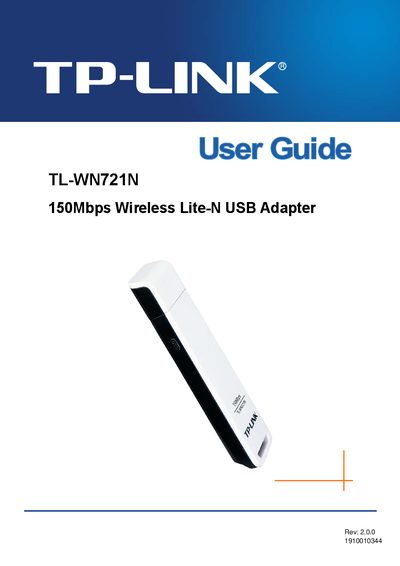
TP-Link TL-WN721N USB Adapter User Guide
This guide introduces the TL-WN721N 150 Mbps Wireless Lite‑N USB Adapter, describing its features, supported standards and security options. It explains the package contents, including the adapter, a quick‑installation guide, a USB extension cable and a resource CD with drivers and the TP‑LINK Wireless Client Utility.
The manual walks users through hardware installation, software installation for Windows XP/Vista/7, and configuration steps such as profile management, push‑button (PBC) and PIN methods. Appendices list detailed specifications and a glossary of wireless networking terms.
TP-Link TL-WN721N specifications
| Wireless speed | 150 Mbps |
|---|---|
| Supported Wi‑Fi standards | 802.11b/g |
| Interface | USB |
Source: TP-Link TL-WN721N 150Mbps Wireless Lite-N USB Adapter User Guide
All TP-Link TL-WN721N documents by type
Day-to-day operation, settings and troubleshooting. Start here if the product is already set up.
Disassembly, diagnostics and part numbers, for repair.
Questions answered in these manuals
What items are included in the package?
The package contains one TL‑WN721N adapter, a quick installation guide, a USB cable, and a resource CD with drivers and utilities.
From: TP-Link TL-WN721N 150Mbps Wireless Lite-N USB Adapter User Guide
How can I add or modify a wireless profile?
Use the configuration section to add or modify a configuration profile as described in Chapter 3.
From: TP-Link TL-WN721N 150Mbps Wireless Lite-N USB Adapter User Guide
What is the maximum wireless data rate of the TL‑WN721N?
The adapter supports a wireless data rate of up to 150 Mbps.
What wireless standards are compatible with the TL‑WN721N?
The adapter is compatible with IEEE 802.11b, 802.11g and 802.11n standards.
Which operating systems are supported?
The adapter works with Windows XP, Windows Vista, and Windows 7.
What is the maximum wireless data rate?
The device supports a maximum data rate of up to 150 Mbps.