
Key facts
Start here
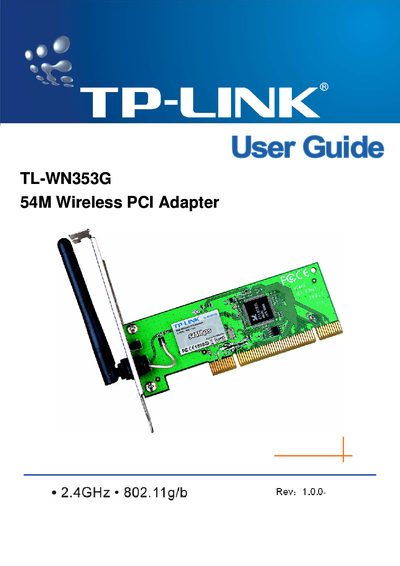
TP-Link TL-WN353G 54M Wireless PCI Adapter User Guide
The TL-WN353G 54M Wireless PCI Adapter lets you add high‑speed 802.11g/b Wi‑Fi to a desktop PC without running network cables. It supports up to 54 Mbps data rates, WPA/WPA2 security, and a fixed antenna, and works with Windows 98 through Vista.
This guide covers hardware installation, software setup, LED status indicators, security options, FCC/CE compliance, and contact information, with a quick‑start checklist and detailed configuration instructions.
TP-Link TL-WN353G specifications
| Interface | 32-bit PCI |
|---|---|
| Wireless Signal Rates | 119:54/48/36/24/18/12/9/6 Mbps; 11b:11/5.5/3/2/1 Mbps |
| Frequency Range | 2.4‑2.4835 GHz |
| Receiver Sensitivity (54M) | -68 dBm @10% PER |
| Antenna Type | Omni Directional, Fixed |
| Security | 64/128/152‑bit WEP, WPA/WPA2, WPA‑PSK/WPA2‑PSK (TKIP/AES) |
| Range | Indoors up to 100 m, outdoors up to 300 m |
| Supported OS | Windows 7, Vsita, XP, 2000 |
| Operating Temperature | 0 °C ~ 40 °C (32 °F ~ 104 °F) |
| Storage Temperature | -40 °C ~ 70 °C (-40 °F ~ 158 °F) |
| Dimensions | 133 × 121 × 22 mm |
Source: TP-LINK TL-WN353G 54M Wireless PCI Adapter User Manual
All TP-Link TL-WN353G documents by type
Day-to-day operation, settings and troubleshooting. Start here if the product is already set up.
Questions answered in these manuals
What wireless standards does the TL-WN353G support?
It supports IEEE 802.11b (and the 54 Mbps mode compatible with 802.11g devices).
From: TP-LINK TL-WN353G 54M Wireless PCI Adapter User Manual
Which operating systems are compatible with the adapter?
The adapter works with Windows 7, Vsita, XP, and 2000.
From: TP-LINK TL-WN353G 54M Wireless PCI Adapter User Manual
Which Windows operating systems are supported?
The adapter supports Windows 98, ME, 2000, 2003, XP, Vista, and XP64.
What security protocols does the adapter support?
It supports WPA/WPA2 with TKIP/AES encryption and 64/128/152‑bit WEP encryption.