
Key facts
Start here
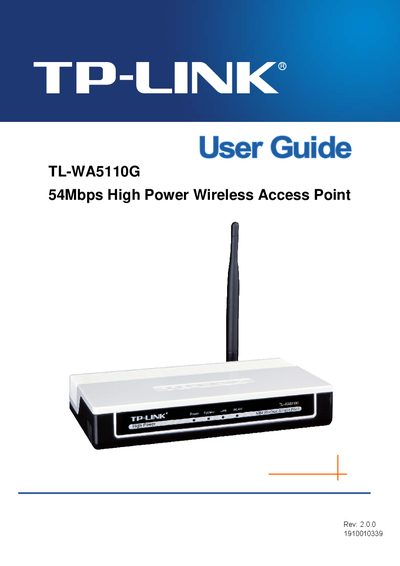
TP-Link TL-WA5110G 54Mbps High Power Wireless Access Point User Guide
This guide provides an overview of the TL‑WA5110G wireless access point, its hardware layout, and the conventions used in the documentation. It includes step‑by‑step instructions for hardware installation, basic configuration, and advanced features such as DHCP, firewall and wireless statistics.
Additional sections cover operation modes, security settings, firmware upgrade, backup & restore, and a glossary of networking terms. Appendices contain a FAQ, detailed specifications and a glossary to help users understand the device’s capabilities.
TP-Link 54MBPS specifications
| Interface | USB 2.0 Connector |
|---|---|
| Standards | IEEE 802.11g, IEEE 802.11b |
| Operating System | Windows 2000/ XP/ Vista/ 7 |
| Frequency | 2.4 ~ 2.4835 GHz |
| Radio Data Rate | Up to 54Mbps |
| Modulation | 11g OFDM, 11b CCK/DSSS |
| Data Security | WPA, 64/128‑bit WEP, TKIP/AES, IEEE 802.1X |
| Working Temperature | 0°C ~ 40°C |
| Storage Temperature | -40°C ~ 70°C |
| Humidity | 10% ~ 90% RH (non‑condensing) |
Source: TP-LINK TL-WN321G 54Mbps Wireless USB Adapter User Guide
All TP-Link 54MBPS documents by type
Day-to-day operation, settings and troubleshooting. Start here if the product is already set up.
Questions answered in these manuals
How do I install the TL-WN321G adapter?
Install the hardware first, then run the driver and utility software from the included CD as described in Chapter 2 Installation Guide.
From: TP-LINK TL-WN321G 54Mbps Wireless USB Adapter User Guide
What does the LED on the adapter indicate?
The LED on the top blinks green to show link/activity when data is being sent or received.
From: TP-LINK TL-WN321G 54Mbps Wireless USB Adapter User Guide