
Key facts
Start here
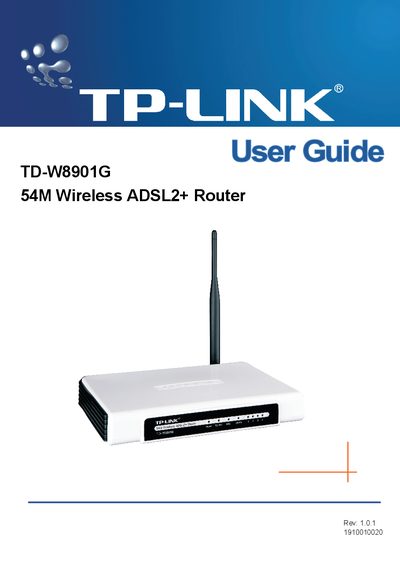
TP-Link TD-W8901G Wireless ADSL2+ Router User Guide
The TD-W8901G User Guide provides step‑by‑step instructions for installing and configuring the TP‑Link 54M Wireless ADSL2+ Router. It includes hardware installation, web‑based utility setup, and advanced configuration options such as security filters and remote management.
The manual also lists technical specifications, safety and emission compliance, and troubleshooting information. Appendices contain detailed data on supported standards, ports, data rates, and environmental requirements.
TP-Link TD-W8901G specifications
| Downstream data rate | Up to 24 Mbps |
|---|---|
| Upstream data rate | Up to 3.5 Mbps (Annex M enabled) |
| RJ11 ports | 1 |
| Ethernet ports | 4 |
| Operating temperature | 0 °C ~ 40 °C |
| Storage temperature | -40 °C ~ 70 °C |
| Dimensions | 7.9 × 5.5 × 1.1 in (200 × 140 × 28 mm) |
All TP-Link TD-W8901G documents by type
Day-to-day operation, settings and troubleshooting. Start here if the product is already set up.
Questions answered in these manuals
What is the maximum downstream speed of the TD-W8901G/TD-W8901GB?
The router supports downstream speeds up to 24 Mbps.
How many Ethernet ports does the router provide?
It includes four Ethernet ports for wired connections.
What wireless standards does the TD‑W8901G support?
It complies with IEEE 802.11g and IEEE 802.11b, providing data rates up to 54 Mbps.
From: TP-Link TD-W8901G/TD-W8901GB 54M Wireless ADSL2+ Modem Router User Guide
How many Ethernet ports are available on the router?
The device includes four 10/100 Ethernet ports.
From: TP-Link TD-W8901G/TD-W8901GB 54M Wireless ADSL2+ Modem Router User Guide
What encryption methods does the TD‑W8901G support?
It supports WPA/WPA2‑PSK, WPA/WPA2, and 64/128‑bit WEP encryption for wireless security.
Does the device include a firewall?
Yes, it has dual active firewalls (SPI and NAT) and supports IP address, domain name, and MAC address filtering.