
Key facts
- Brand
- TP-Link
- Model
- TD-8840
- Category
- Other network devices
- Documents
- 4
- Languages
- EN
- Last added
- 2012-05-08
Start here
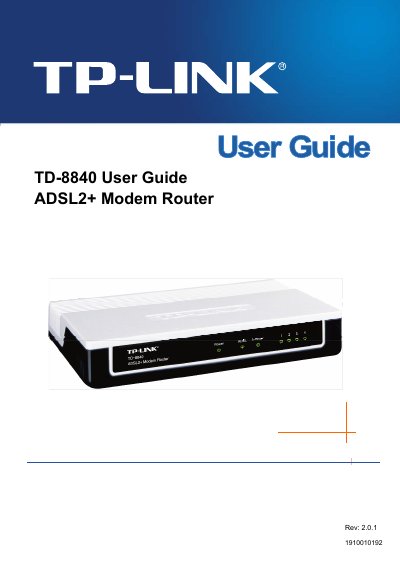
TP-Link TD-8840 ADSL2+ Modem Router User Guide
The TP-Link TD-8840 ADSL2+ Modem Router User Guide provides step‑by‑step instructions for hardware installation, quick setup, and detailed software configuration. It includes information on supported protocols, data‑rate limits, and environmental requirements.
The manual also contains a FAQ section that addresses common connection issues, required ISP parameters, and troubleshooting tips for LED indicators and dial‑up problems, helping users achieve a stable broadband connection.
TP-Link TD-8840 specifications
| Downstream data rate | Up to 24 Mbps |
|---|---|
| Upstream data rate | Up to 3.5 Mbps (Annex M enabled) |
| RJ11 ports | 1 |
| Ethernet ports | 4 |
| Dimensions (L×W×H) | 7.9 × 5.5 × 1.1 in (200 × 140 × 28 mm) |
| Operating temperature | 0 °C ~ 40 °C |
| Storage temperature | -40 °C ~ 70 °C |
Source: TP-Link TD-8840T/TD-8840TB 4-port ADSL2/2+ Ethernet Router User Manual
All TP-Link TD-8840 documents by type
Day-to-day operation, settings and troubleshooting. Start here if the product is already set up.
Questions answered in these manuals
How many Ethernet ports does the TD‑8840T have?
It provides four 10/100 Mbps Ethernet ports.
From: TP-Link TD-8840T/TD-8840TB 4-port ADSL2/2+ Ethernet Router User Manual
What is the maximum downstream speed supported by the router?
The router supports downstream speeds of up to 24 Mbps.
From: TP-Link TD-8840T/TD-8840TB 4-port ADSL2/2+ Ethernet Router User Manual
What are the default login credentials for the TD‑8840 router?
The default username is admin and the default password is admin.
What is the maximum download speed supported by the TD‑8840?
The router supports a maximum download data‑rate of 24 Mbps.
What parameters are required from the ISP to set up the TD‑8840?
You need the connection protocol, user name, password, VPI/VCI values, and the AAL5 encapsulation mode (e.g., LLC/SNAP).
Which connection protocols does the TD‑8840 support?
The router supports PPPoA, PPPoE, MAC Encapsulation Routing (MER), IP over ATM (IPoA), and Bridging.