
Key facts
Start here
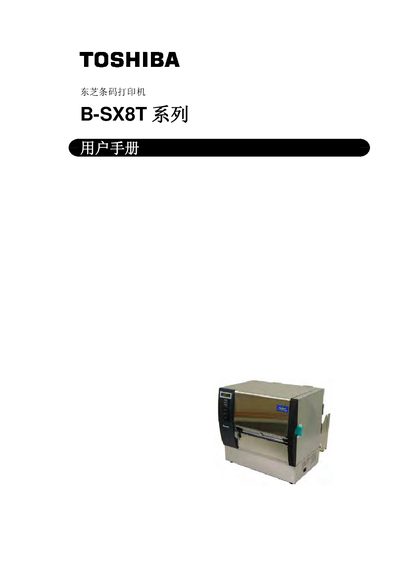
Toshiba B‑SX8T Series Barcode Printer User Manual
This manual covers everything needed to set up and use the Toshiba B‑SX8T series barcode printer, including safety guidelines, hardware installation, interface configuration, and consumable handling. Detailed sections explain how to load media, adjust parameters, and perform routine maintenance.
Safety warnings, recommended maintenance procedures, and a full list of specifications and consumable details are provided to ensure reliable, long‑term operation in industrial environments. This manual is written in Chinese.
Toshiba B-SX8T specifications
| Model | B-SX8T-TS12-QM-R |
|---|---|
| Dimensions | 416 mm × 289 mm × 395 mm (16.4" × 11.4" × 15.6") |
| Weight | 55 lb (25 kg) without media and ribbon |
| Operating temperature range | 5°C to 40°C (41°F to 104°F) |
| Relative humidity | 25% to 85% RH (no condensation) |
| Power supply | Universal AC 100–240V, 50/60 Hz ±10% |
| Power consumption (printing) | 3.5A at 100V to 1.4A at 240V, 170W rating |
| Power consumption (standby) | 0.45A at 100V to 0.31A at 240V, 20W (100V) to 10W (240V) |
| Resolution | 12 dots/mm (305 dpi) |
| Printing method | Thermal transfer or direct thermal |
| Printing speed | 76.2 mm/s (3 ips), 101.6 mm/s (4 ips), 203.2 mm/s (8 ips) |
| Media width range | 101.6–225.0 mm (4–8.9 in) including backing; 101.6–160.0 mm at 8 ips |
| Maximum print width | 213.3 mm (8 inches) |
| Issue modes | Batch, Strip (option), Cut (option) |
| LCD display | 16 characters × 2 lines |
| Standard interfaces | Parallel (Centronics, 1284 Nibble), USB 2.0 Full Speed, LAN 10/100BASE |
| Optional equipment | Serial board (RS-232C), Cutter module, Strip module, Expansion I/O board, Real-time clock, Metal supply cover |
Source: Toshiba B-SX8T-TS12-QM-R Barcode Printer Owner's Manual
All Toshiba B-SX8T documents by type
Day-to-day operation, settings and troubleshooting. Start here if the product is already set up.
Questions answered in these manuals
What are the standard communication interfaces on the B-SX8T-TS12-QM-R?
The printer includes a parallel (Centronics) interface, USB 2.0 Full Speed, and LAN (10/100BASE) as standard.
From: Toshiba B-SX8T-TS12-QM-R Barcode Printer Owner's Manual
What cleaning procedures are described for the print head and platen?
The manual instructs to clean the print head and platen with the supplied print head cleaner or a cotton swab moistened with isopropyl alcohol, wiping gently in one direction.
From: Toshiba B-SX8T-TS12-QM-R Barcode Printer Owner's Manual
How can I change the character set used for printing?
Press the [PAUSE] key when the “PARAMETER SET” screen appears, then use the [FEED] or [RESTART] keys to select the desired character code and confirm with [PAUSE].
What should I do if the printer malfunctions or is damaged?
Turn off the printer, unplug the power cord, and contact an authorized Toshiba TEC dealer for assistance.