
Key facts
- Brand
- Toshiba
- Model
- IK-WB16A-W
- Industry
- Electronics
- Documents
- 2
- Languages
- EN
- Last added
- 2012-07-06
Start here
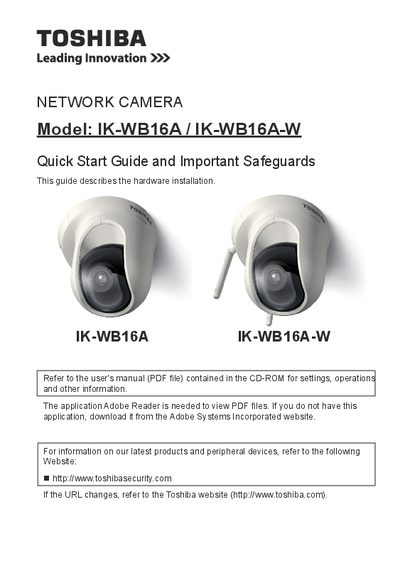
Toshiba IK-WB16A/IK-WB16A-W Network Camera Quick Start Guide
The document serves as a quick start guide for the Toshiba IK-WB16A and IK-WB16A-W Network Cameras. It focuses on hardware installation steps, including general connections without Power over Ethernet (PoE) and specific PoE setup instructions applicable only to the IK-WB16A model.
Read onlineAll Toshiba IK-WB16A-W documents by type
Day-to-day operation, settings and troubleshooting. Start here if the product is already set up.
The shortest path to a working setup, usually only a few pages.
Questions answered in these manuals
What operating systems are compatible with this camera?
The guide lists Windows XP, Windows Vista Business, and Windows 7 Professional as compatible operating systems.
From: Toshiba IK-WB16A/IK-WB16A-W Network Camera Quick Start Guide
Which model supports Power over Ethernet (PoE)?
Only the IK-WB16A model includes instructions for Power over Ethernet deployment.
From: Toshiba IK-WB16A/IK-WB16A-W Network Camera Quick Start Guide
Which models are supported by this manual?
This manual covers the IK-WB16A and IK-WB16A-W network camera models.
From: Toshiba IK-WB16A/IK-WB16A-W Network Camera User's Manual
Does this camera support wireless LAN?
Yes, but the Wireless LAN feature is available only for the IK-WB16A-W model.
From: Toshiba IK-WB16A/IK-WB16A-W Network Camera User's Manual