
Key facts
- Brand
- Toshiba
- Model
- IK-WB02A
- Category
- Monitoring Equipment
- Industry
- Electronics
- Documents
- 2
- Languages
- EN
- Last added
- 2012-07-06
Start here
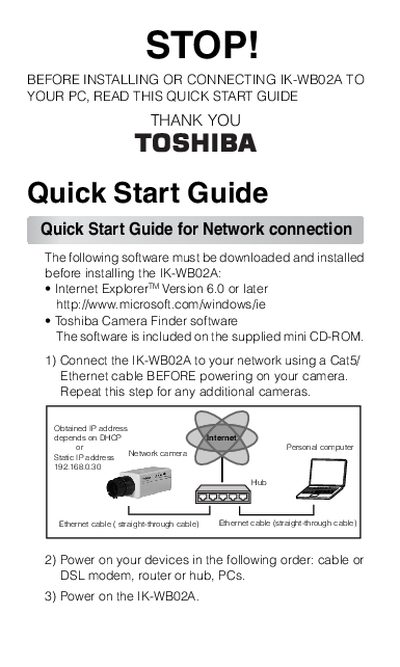
Toshiba IK-WB02A Quick Start Guide
This document is a Quick Start Guide for the Toshiba IK-WB02A network camera. It outlines the necessary software requirements, including Internet Explorer Version 6.0 or later and the Toshiba Camera Finder software found on the supplied mini CD-ROM.
The guide details two primary connection methods: connecting to a network using a Cat5 Ethernet cable before powering on the device, or establishing a direct PC connection using a Cat5 Crossover cable. It also covers initial setup steps such as changing the default login ID and password (defaulting to 'root'/'ikwb') and configuring user access rights.
All Toshiba IK-WB02A documents by type
Day-to-day operation, settings and troubleshooting. Start here if the product is already set up.
Questions answered in these manuals
What is the default login ID for the camera?
The default Current login ID is 'root'.
How long does it take for the camera to start?
The camera takes approximately 30 seconds to start.
Who should perform the installation of this camera?
The installation should be made by a qualified service person.
Is the IK-WB02A designed for outdoor use?
No, the camera is designed specifically for indoor use.