
This manual introduces the basic functions and operation of the Philips Xenium X600 phone
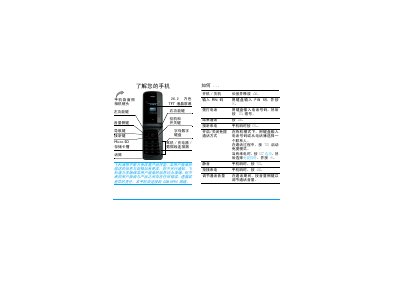
This guide introduces the Xenium X600 mobile phone, describing its hardware layout, keypad, TFT LCD screen and accessories such as the battery, SIM and micro‑SD card. It explains how to insert the SIM, charge the battery, and install a memory card, as well as basic operations like making and receiving calls.
The manual also details the phone’s menu structure, settings, hot‑key configuration, and additional functions such as the camera, music player, browser and Bluetooth. Warranty information, safety notices and environmental compliance are included at the end of the document. This manual is written in Chinese.
| Screen | 262,000‑color TFT LCD |
|---|---|
| Maximum talk time | 8.5 hours |
| Maximum standby time | 720 hours |
| Micro‑SD card capacity | up to 2 GB |
| Full charge time | ≈ 4 hours |
Remove the back cover, then place the SIM card with the metal contacts facing down and push it fully into the slot.
A full charge takes about four hours under normal conditions.
The Xenium X600 supports micro‑SD cards up to 2 GB in capacity.
The phone can provide up to 8.5 hours of talk time, depending on network conditions.