
Key facts
- Brand
- Philips
- Model
- HTS7540
- Industry
- Appliances
- Documents
- 4
- Languages
- ZH
- Last added
- 2012-03-26
Start here
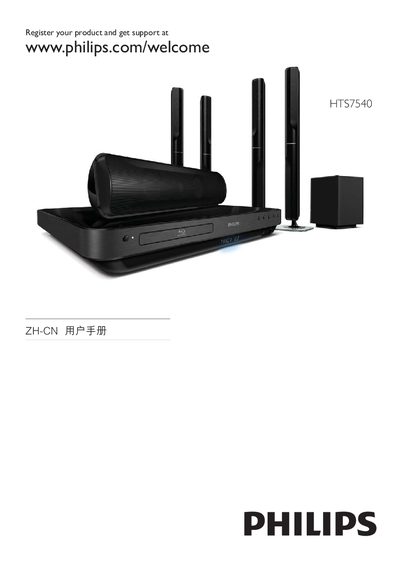
Philips HTS7540 TV User Manual
This manual guides you through registering your Philips HTS7540 TV, accessing support, and using core features such as EasyLink and HDMI CEC. It includes details on connecting external devices via HDMI, USB, and MP3 Link, as well as configuring audio settings like 5.1 surround sound.
The document also explains menu navigation, including the DISC/POP‑UP menu, subtitle options, and Bonus View/PIP functions. Safety notices, laser radiation warnings, and compliance information are provided at the end of the guide. This manual is written in Chinese.
Philips HTS7540 specifications
| Audio Output Power (RMS) | 4×125 W, 2×250 W |
|---|---|
| Total Audio Power (RMS) | 1000 W |
| Audio Frequency Response | 180‑14000 Hz |
| Signal‑to‑Noise Ratio | >65 dB |
| Video Upscaling | 720p, 1080i, 1080p |
| Power Supply | 120‑230 VAC, 50/60 Hz |
| Standby Power Consumption | <0.8 W |
| Dimensions (W×H×D) | 435 mm × 64 mm × 341 mm |
| Weight (including cabinet) | 28 kg |
All Philips HTS7540 documents by type
Day-to-day operation, settings and troubleshooting. Start here if the product is already set up.
Questions answered in these manuals
What are the power requirements for the HTS7540/98?
The unit operates on 120‑230 VAC, 50/60 Hz and consumes less than 0.8 W in standby mode.
How can I control multiple HDMI devices with one remote?
Use the EasyLink feature, which employs HDMI‑CEC to let a single remote control all connected HDMI devices.
What video formats and resolutions does the system support?
It plays Blu‑ray discs with full‑HD resolution (720p, 1080i, 1080p) and supports a range of video codecs and formats.