
Key facts
- Brand
- Philips
- Model
- HTS7200
- Documents
- 2
- Languages
- EN · ZH
- Last added
- 2012-03-13
Start here
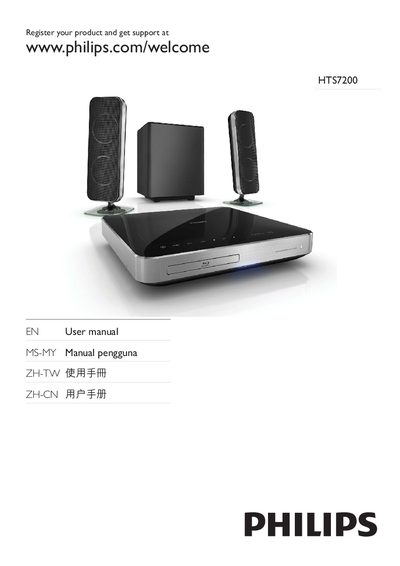
Philips HTS7200 Home Theater System User Manual
This manual guides you through registering your HTS7200 home theater system, connecting HDMI, USB, and other audio sources, and using the on‑screen menu. It also explains Philips EasyLink features and the various connectivity options such as HDMI CEC, MP3 Link, and digital inputs.
The warranty section outlines a 12‑month coverage period and includes maintenance tips like cleaning the lens after every 20 discs and keeping the system covered when not in use.
Philips HTS7200 specifications
| Total RMS Power | 440 W |
|---|---|
| Output Power per Channel | 2 × 120 W (200 W total) |
| Frequency Response | 40 Hz – 20 kHz |
| Signal‑to‑Noise Ratio | >65 dB |
| Digital/Analog Converter | 24‑bit, 192 kHz |
| Supported Video Formats | AVI, AVCHD, MPEG‑1/2/4, WMV, MKV, XviD, DivX, H.264, VC‑1 |
| Audio Decoding Formats | Dolby TrueHD, DTS‑HD, Dolby Virtual Speaker, Dolby Pro Logic II |
| Connectivity | HDMI, CVBS, USB, Ethernet, FM antenna, digital optical, digital coaxial |
All Philips HTS7200 documents by type
Day-to-day operation, settings and troubleshooting. Start here if the product is already set up.
Questions answered in these manuals
Where can I register my Philips HTS7200?
You can register the product at www.philips.com/welcome.
How often should I clean the lens of the home theater system?
Clean the lens after every 20 discs played.
What is the total RMS power of the HTS7200?
The system delivers a total RMS power of 440 W.
How does EasyLink simplify remote control?
EasyLink lets you control multiple HDMI‑CEC devices with a single remote.