
Key facts
- Brand
- Philips
- Model
- HTS6515
- Documents
- 3
- Languages
- ZH
- Last added
- 2012-02-28
Start here
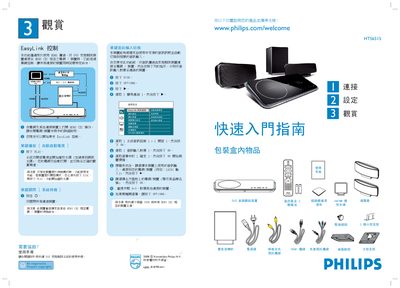
Philips HTS6515 DVD Home Theater Quick Start Guide
The guide begins with a list of items included in the package and introduces key functions such as EasyLink control, Ambisound sound tuning, and speaker connections. It also shows how to register the product online for support.
Step‑by‑step instructions cover connecting the unit to a TV via HDMI or component video, linking audio cables, attaching the subwoofer and satellite speakers, and configuring system settings like speaker distance and room type. The guide also explains how to use EasyLink single‑key commands for power, playback and audio input selection. This manual is written in Chinese.
Philips HTS6515 specifications
| Speaker distance | 2~3 meters |
|---|---|
| Speaker position | Room center |
| EasyLink requirement | HDMI connection |
All Philips HTS6515 documents by type
Day-to-day operation, settings and troubleshooting. Start here if the product is already set up.
The shortest path to a working setup, usually only a few pages.
Questions answered in these manuals
How can I control multiple devices with the HTS6515?
Use the EasyLink feature, which lets you control several HDMI‑CEC compatible devices with a single remote.
What audio technologies provide the 5.1 surround sound?
The system uses Ambisound to create 5.1 sound with fewer speakers and FullSound™ to deliver CD‑quality audio from MP3 files.