
Key facts
- Brand
- Philips
- Model
- Nero 7
- Documents
- 8
- Languages
- EN
- Last added
- 2012-03-24
Start here
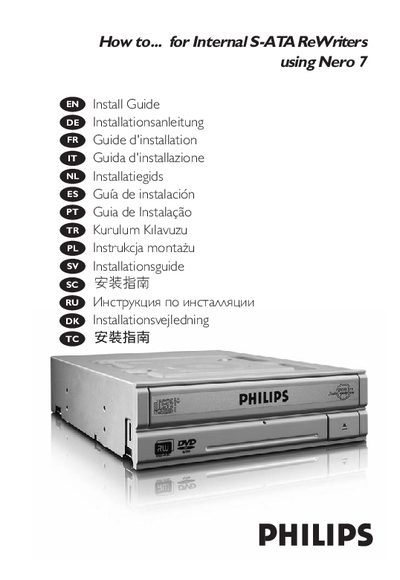
Philips Internal S-ATA ReWriters User Guide
The guide provides step‑by‑step instructions for installing the internal S‑ATA rewrites in a computer, connecting the SATA power and data cables, and ensuring safe handling to avoid electrostatic damage. It also covers updating the software and where to find additional help.
Further sections describe how to use Nero 7 to create video discs, audio or data discs, and how to copy existing discs. Safety precautions and connection diagrams are included to assist users during installation and operation.
Philips Nero 7 specifications
| Laser wavelength | 775‑795 nm (CD) – 660 nm (DVD) |
|---|---|
| Laser output power (read) | 1.4 mW – 2.5 mW |
| Laser output power (write) | 90 mW (CD) – 27 mW (DVD) |
| Beam divergence | 60° |
Source: Philips UK D F I NL E PT TR PL SV External Slimline ReWriter Installation Guide
All Philips Nero 7 documents by type
Mounting, wiring and first power-up. Read it before the hardware goes in.
- Philips UK D F I NL E PT TR PL SV External Slimline ReWriter Installation Guide 71 p
- Nero 7 Installation Guide 112 p
- Philips Nero 7 Installation Guide 76 p
- Philips Internal ReWriters Nero 7 LightScribe Installation Guide 130 p
- Philips S-ATA Writers Installation Guide 124 p
- Philips Nero 7 Internal ReWriters Installation Guide 112 p
- Philips Nero 7 LightScribe Installation Guide 130 p
Day-to-day operation, settings and troubleshooting. Start here if the product is already set up.
Questions answered in these manuals
How do I safely disconnect the external USB ReWriter?
Click the “Safely Remove Hardware” icon and then select “Safely remove USB Mass Storage Device” before unplugging the ReWriter.
From: Philips UK D F I NL E PT TR PL SV External Slimline ReWriter Installation Guide
What should I do if Windows XP warns about a slow USB connection?
Use a HiSpeed USB (USB 2.0) port; a LowSpeed USB connection limits write speeds and prevents DVD writing.
From: Philips UK D F I NL E PT TR PL SV External Slimline ReWriter Installation Guide
What safety precautions should I observe when using the laser device included with Nero?
Do not remove the cover or service the device while it is powered, as the laser can cause eye damage.
Where can I find additional information about Philips EMF guidelines?
Visit the Philips website at www.philips.com/storageupdates for more details on EMF and safety standards.
How do I install the internal S-ATA rewrites?
Follow the installation steps outlined in the guide, which include mounting the drive and connecting the SATA cables.
How can I copy a disc?
Use the copy function in Nero 7 as described in the manual.