
Key facts
- Brand
- Philips
- Model
- C027
- Category
- Telephone
- Industry
- Electronics
- Documents
- 8
- Languages
- ZH
- Last added
- 2012-03-23
Start here
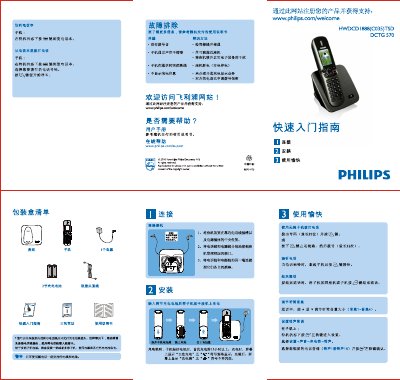
PHILIPS HWDLCD1888(C027)P/TSD DCTG570 telephone user guide(1)
The guide provides step‑by‑step instructions for installing the handset and base, connecting the telephone and power lines, and charging the handset batteries. It also covers basic operation such as dialing, answering, ending calls, adjusting volume, and selecting ringtones.
Additional sections include troubleshooting tips for common issues like no dial tone, unclear audio, sudden disconnection, and missing caller ID, as well as details on battery charging and first‑time charge requirements. This manual is written in Chinese.
Philips C027 specifications
| Atmospheric pressure range | 8‑106 kPa |
|---|---|
| Low‑frequency DTMF tones | 697, 770, 852, 941 Hz |
| Seatphone noise level | 70 dB(A) |
Source: PHILIPS HWDLCD1888(C027)P/TSD DCTG177 telephone Manual
All Philips C027 documents by type
Day-to-day operation, settings and troubleshooting. Start here if the product is already set up.
- Philips HWDLCD1888(C027)P/TSD DCTG567 Telephone Auto Answering Machine User Guide 2 p
- Philips HWDLCD1888(C027)P/TSD DCTG172 Telephone User Guide 1 p
- PHILIPS HWDLCD1888(C027)P/TSD DCTG172 telephone Manual 17 p
- Philips HWDLCD1888(C027)P/TSD DCTG177 Telephone User Guide 1 p
- PHILIPS HWDLCD1888(C027)P/TSD DCTG177 telephone Manual 19 p
- PHILIPS HWDLCD1888(C027)P/TSD DCTG567 Manual 38 p
The shortest path to a working setup, usually only a few pages.
Questions answered in these manuals
How can I adjust the speaker volume?
During message playback press the + or ‑ keys to raise or lower the speaker volume.
From: Philips HWDLCD1888(C027)P/TSD DCTG567 Telephone Auto Answering Machine User Guide
How do I add a contact to the phone book?
Press P then O to open the phone book, choose ADD ENTRY, enter the name and telephone number, and confirm with O.
From: Philips HWDLCD1888(C027)P/TSD DCTG567 Telephone Auto Answering Machine User Guide
How do I connect the telephone line and power cable?
Connect the telephone line to the line connector on the back of the base unit, connect the power cord to the power socket, then attach the handset.
From: Philips HWDLCD1888(C027)P/TSD DCTG172 Telephone User Guide
How can I change the ringtone?
Press the setting key, select Sound → Incoming ringtone, choose a tone from 1 to 15, and confirm with the add key.
From: Philips HWDLCD1888(C027)P/TSD DCTG172 Telephone User Guide
How long should the sub‑phone battery be charged the first time?
The first charge should be at least 12 hours before the sub‑phone is used.
From: PHILIPS HWDLCD1888(C027)P/TSD DCTG172 telephone Manual
What should I do if there is no dial tone?
Check the wiring and make sure the line is connected.
From: Philips HWDLCD1888(C027)P/TSD DCTG177 Telephone User Guide