
Key facts
- Brand
- EXTECH
- Model
- RHT50
- Industry
- Industrial
- Documents
- 4
- Languages
- EN
- Last added
- 2023-10-18
Start here
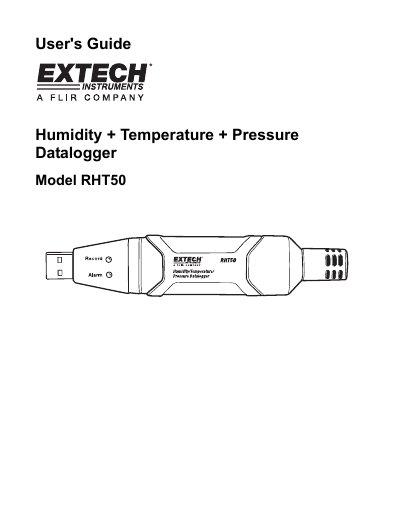
RH50 Humidity + Temperature + Pressure Datalogger
This user manual covers the operation and features of the Extech RHT50 datalogger, including how to install software and USB drivers, interpret LED status, and replace the battery. It details specifications such as measurement ranges, accuracy, and data storage capacity. The manual also includes warranty information and contact details for support.
Read onlineEXTECH RHT50 specifications
| Relative Humidity Range | 0 to 20 and 80 to 100% +5.0%, 20 to 80% 43.5% |
|---|---|
| Temperature Range | -40 to 32°F and 104°F to 158°F | +3.6°F/+2°C |
| Pressure Range | 950 to 1050hPa |
| Data Storage | 10,000 measurements |
| Logging Rate | Selectable sampling interval: From 1 second up to 18 hours |
| Operating Temperature | -31 to 176°F (-35 to 80°C) |
| Battery Type | 3.6V (1/2 AA) (SAFT LS14250, Tadiran TL-5101 or equivalent) |
| Battery Life | 1 year (typ.) depending on logging rate, ambient temperature, & use of Alarm |
| Dimensions/Weight | 4x 1x .9” (101 x 25 x 23mm) / 6oz (172g) |
All EXTECH RHT50 documents by type
Ratings, dimensions and ordering codes, for selection and design work.
Day-to-day operation, settings and troubleshooting. Start here if the product is already set up.
Questions answered in these manuals
How do I install the USB driver for the RHT50?
Plug the RHT50 into a USB port. If it's the first connection, follow the Found New Hardware Wizard prompts. Select 'Install the software automatically' and follow on-screen instructions.
What happens when the battery is replaced?
The RHT50 does not lose stored readings, but logging will stop and cannot be restarted until data is downloaded and the battery is replaced.
How long does the battery typically last?
The lithium battery can typically allow logging for one year, depending on the logging rate and ambient temperature.
From: EXTECH RHT50 Humidity Temperature Pressure Datalogger User's Guide
What happens if the battery is replaced?
The device does not lose stored readings when the battery weakens or is replaced, but the data logging process stops until the new battery is installed and data is downloaded.
From: EXTECH RHT50 Humidity Temperature Pressure Datalogger User's Guide
What does the EXTECH RHT50 datalogger record?
The device records humidity, temperature, and atmospheric pressure.
From: EXTECH RHT50 Humidity/Temperature/Pressure Datalogger Product Datasheet
What is the maximum memory capacity of the datalogger?
The datalogger can store up to 10,000 points in memory.
From: EXTECH RHT50 Humidity/Temperature/Pressure Datalogger Product Datasheet