
Key facts
- Brand
- EXTECH
- Model
- RPM10
- Industry
- Industrial
- Documents
- 3
- Languages
- EN
- Last added
- 2023-10-31
Start here
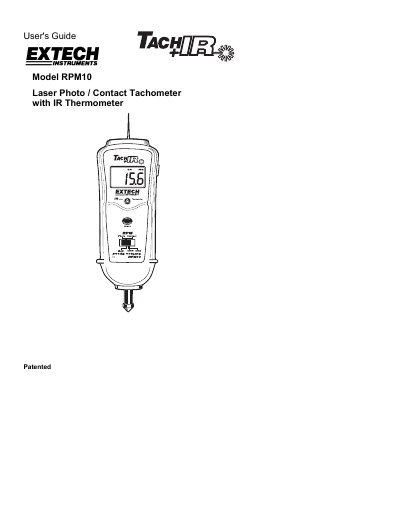
Extech RPM10 Laser Photo/Contact Tachometer with IR Thermometer User's Guide
The Extech RPM10 is a versatile measurement tool that provides contact RPM and linear surface speed measurements, non-contact RPM measurements, and IR temperature measurements. It features a reversible LCD display, a laser pointer for targeting, and a memory function to store maximum, minimum, and last readings. The device operates using four 1.5V AA batteries and includes accessories such as reflective tape and rotating attachments.
Read onlineEXTECH RPM10 specifications
| Time base | Quartz crystal 4.9152 MHz |
|---|---|
| Display | Reversible 5 digit 0.6" (16mm) LCD display |
| Laser light source | Less than 1mW; Class 2 red laser diode (645nm approx.) |
| Detecting Distance | 2 to 79" (50 to 2000 mm) |
| Power Supply | 4 x 1.5 V AA batteries |
| Weight | 10.6oz. (300g) including battery |
| Size | 8.3 x 3.1 x 2.0" (210 x 80 x 50 mm) |
| Photo Tachometer Range | 10 to 99,999 rpm |
Source: Extech RPM10 Laser Photo/Contact Tachometer with IR Thermometer User's Guide
All EXTECH RPM10 documents by type
Day-to-day operation, settings and troubleshooting. Start here if the product is already set up.
Ratings, dimensions and ordering codes, for selection and design work.
Questions answered in these manuals
How do I select the temperature units?
Open the battery compartment, remove the batteries, and set the switch for the desired units (ºF/ºC).
From: Extech RPM10 Laser Photo/Contact Tachometer with IR Thermometer User's Guide
What is the accuracy of the IR thermometer?
The accuracy is ± 3% of reading or ± 6 o F (3 o C) whichever is greater.
From: Extech RPM10 Laser Photo/Contact Tachometer with IR Thermometer User's Guide
How do I select the temperature units?
Open the battery compartment and remove the batteries, then set the slide switch for the desired units (ºC/ºF).
From: Extech RPM10 Laser Photo/Contact Tachometer with IR Thermometer User's Guide
What happens when the batteries are low?
The low battery indication appears as a specific symbol on the display.
From: Extech RPM10 Laser Photo/Contact Tachometer with IR Thermometer User's Guide
What is the temperature range of the IR thermometer?
The non-contact IR thermometer measures a wide temperature range from -4 to 600°F (-20 to 315°C).
Does the RPM10 include a laser?
Yes, the non-contact photo tachometer uses a Laser for greater measuring distance up to 6.5ft (2m).