
Key facts
- Brand
- TP-Link
- Model
- TL-SF1016D
- Category
- Network Switches
- Industry
- Computers
- Documents
- 3
- Languages
- EN · ZH
- Last added
- 2012-05-04
Start here
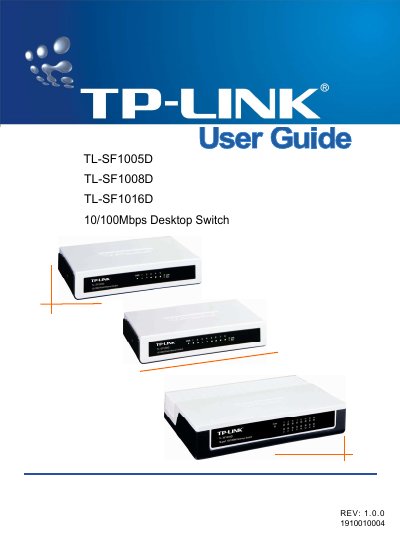
TP-Link TL-SF1005D/TL-SF1008D/TL-SF1016D 10/100Mbps Desktop Switch User Guide
This guide introduces the TL‑SF1005D, TL‑SF1008D and TL‑SF1016D desktop switches, describing their 5, 8 or 16 auto‑negotiating 10/100 Mbps RJ45 ports, LED indicators and plug‑and‑play operation. It also explains the physical layout of the front and rear panels and the required power adapter.
Installation steps cover desk mounting, power connection and initial LED checks. The appendix provides detailed specifications such as supported IEEE standards, data rates, temperature ranges, and a troubleshooting section for common LED and link issues.
TP-Link TL-SF1016D specifications
| Number of Ports | 5/8/16 10/100Mbps Auto‑Negotiation RJ45 ports |
|---|---|
| Supported Standards | IEEE802.3 10Base‑T, IEEE802.3u 100Base‑TX |
| Operating Temperature | 0 °C ~ 40 °C (32 °F ~ 104 °F) |
| Power LED | Lights when the switch powers on |
Source: TP-Link TL-SF1005D/TL-SF1008D/TL-SF1016D 10/100Mbps Desktop Switch User Guide
All TP-Link TL-SF1016D documents by type
Day-to-day operation, settings and troubleshooting. Start here if the product is already set up.
Mounting, wiring and first power-up. Read it before the hardware goes in.
Questions answered in these manuals
How many ports does the TL‑SF1016D model have?
The TL‑SF1016D provides 16 auto‑negotiating 10/100 Mbps RJ45 ports.
From: TP-Link TL-SF1005D/TL-SF1008D/TL-SF1016D 10/100Mbps Desktop Switch User Guide
What does the Power LED indicate?
The Power LED lights continuously when the switch is receiving power.
From: TP-Link TL-SF1005D/TL-SF1008D/TL-SF1016D 10/100Mbps Desktop Switch User Guide
What power voltage range should be used for the switches?
Use an AC source of 100‑240 V at 50/60 Hz.
From: TP-Link TL-SF1016D/TL-SF1024D/TL-SF1016S/TL-SF1024S/TL-SF1048S Installation Guide
What are the operating temperature limits for these switches?
They operate between 0 °C and 40 °C.
From: TP-Link TL-SF1016D/TL-SF1024D/TL-SF1016S/TL-SF1024S/TL-SF1048S Installation Guide