
Key facts
- Brand
- Philips
- Model
- AZ1856
- Category
- Other
- Industry
- Appliances
- Documents
- 4
- Languages
- ZH
- Last added
- 2012-03-27
Start here
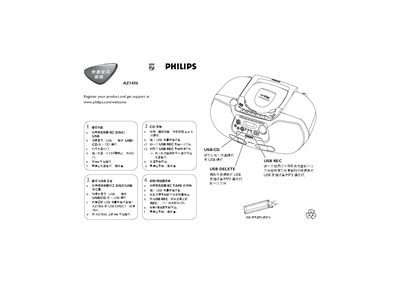
Philips AZ1856 Quick Start Guide
This quick start guide shows how to begin playback on the Philips AZ1856 by pressing the mll button and selecting the appropriate source. It explains switching between DISC, USB, TAPE or FM modes and how to insert a USB mass‑storage device.
The guide also details recording functions: press USB REC to record a single file or all files, and how to stop playback or recording with the designated stop button. Simple step‑by‑step instructions help users operate the player without consulting a full manual. This manual is written in Chinese.
Philips AZ1856 specifications
| Supported disc types | CD‑R, CD‑RW, MP3‑CD, WMA |
|---|---|
| Battery type | 6 × R‑14, UM2 or button cells |
| Headphone jack | 3.5 mm stereo |
| Maximum albums on MP3‑CD | 500 albums (up to 1000 files) |
| USB storage compatibility | USB MSD devices (flash drives, memory sticks) |
All Philips AZ1856 documents by type
Day-to-day operation, settings and troubleshooting. Start here if the product is already set up.
The shortest path to a working setup, usually only a few pages.
Questions answered in these manuals
How do I start playback on the AZ1856?
Press the mll button on the AZ1856 to start playback.
How do I stop playback?
Press the stop button (labelled as shown) to stop playback.
How do I replace the remote‑control battery?
Open the remote, remove the old CR2025 battery and insert a new one, then close the battery compartment.
Can I play DRM‑protected WMA files?
No, the player does not support DRM‑protected WMA discs or files.