
Key facts
- Brand
- EXTECH
- Model
- HDV600
- Industry
- Industrial
- Documents
- 6
- Languages
- EN
- Last added
- 2023-10-18
Start here
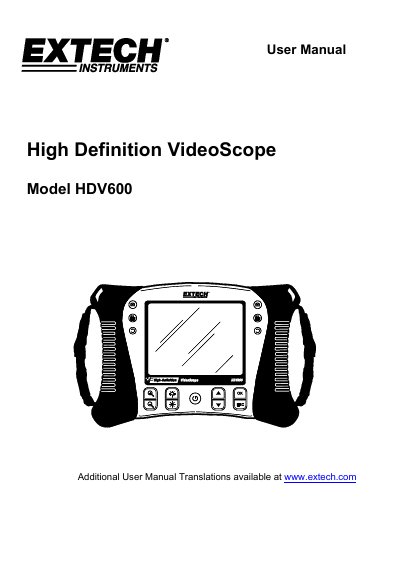
Extech HDV600 High Definition VideoScope User Manual
This manual provides instructions for the Extech HDV600 series Video Borescope, a remote inspection device designed for applications such as HVAC, automotive, and cable routing inspections. The device features real-time video recording, image playback, and various probe configurations including flexible, semi-rigid, and wireless articulating options.
Read onlineEXTECH HDV600 specifications
| LCD Screen | 14.2cm (5.6") active matrix, 640x480 pixels |
|---|---|
| Battery | 3.7V rechargeable Li-Polymer |
| Recording medium | SD Card |
| Still image format | JPEG (640x480) |
| Video Recording Format | AVI (640x480) |
| Receiver Frequency | 2.4GHz |
| Unobstructed Effective Range | 10m |
| Operating Temperature | -10 to 60°C |
All EXTECH HDV600 documents by type
Ratings, dimensions and ordering codes, for selection and design work.
Day-to-day operation, settings and troubleshooting. Start here if the product is already set up.
Questions answered in these manuals
What is the optimum focus distance for the probe?
The optimum focus distance is typically 2 to 6cm (0.79 to 2.3"), though it is probe dependent.
How do I turn on the wireless transmitter?
Press and hold the Power button for 4 seconds to turn the transmitter on.
How long does the battery last?
A fully charged battery will allow approximately 5 hours of continuous use.
What is the optimum focus distance?
The optimum focus distance is typically between 2 to 6cm (0.79 to 2.3 inches).
What is the minimum bend radius for the probe?
Do not bend the probe to a diameter smaller than 10cm (4 inches).
From: EXTECH Model HDV-5CAM-1RM Macro Lens Rigid Probe For use with the HDV600 Borescope only handbook
Does the probe get hot during use?
Yes, the camera LEDs become warm when set to maximum intensity.
From: EXTECH Model HDV-5CAM-1RM Macro Lens Rigid Probe For use with the HDV600 Borescope only handbook