
Key facts
- Brand
- EXTECH
- Model
- HD755
- Documents
- 2
- Languages
- EN
- Last added
- 2023-10-18
Start here
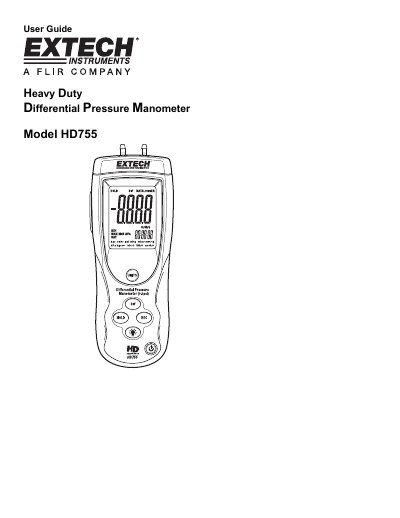
Extech HD755 Heavy Duty Differential Pressure Manometer User Guide
The Extech HD755 is a heavy-duty differential pressure manometer that measures gauge and differential pressure in the range of ±0.500 psi. It features 11 selectable units of measure, data hold, min-max-avg recording, zero/offset, auto power-off, and USB PC interface. The device is powered by a 9V battery and includes quick-disconnect fittings for easy connection. It is designed for reliable performance with proper use and includes warranty and support information.
The manual covers basic operation, unit selection, differential input setup, zeroing and offsetting, recording mode with elapsed timer, USB interface, error codes, specifications, battery replacement, and calibration services. It also includes technical support contact details and copyright information.
Extech HD755 specifications
| Accuracy | ±0.3%FS + 1d (@ 25°C) |
|---|---|
| Repeatability | ±0.2% to 0.5% FS |
| Maximum Pressure | 2psi |
| Response time | 0.5s typical |
| Battery power | 9V alkaline battery |
| Battery life | 125 hours typical |
| Dimensions | 8.2 x 2.9 x 1.9” (210 x 75 x 50mm) |
| Weight | 9.8oz (280g) |
Source: Extech HD755 Heavy Duty Differential Pressure Manometer User Guide
All Extech HD755 documents by type
Day-to-day operation, settings and troubleshooting. Start here if the product is already set up.
Questions answered in these manuals
What is the measurement range of the HD755?
The HD755 measures gauge and differential pressure in the range of ±0.500 psi.
From: Extech HD755 Heavy Duty Differential Pressure Manometer User Guide
How do I zero the meter?
To ZERO the meter: Before use and without fittings attached to the meter, press and hold the HOLD button for 3 seconds or until the display shows all zeroes.
From: Extech HD755 Heavy Duty Differential Pressure Manometer User Guide
How do I turn off the automatic power-off feature?
Press and hold the HOLD button while turning the meter on, then release when 'n' appears.
From: Extech HD755 Heavy Duty Differential Pressure Manometer User Guide
What does the ERR 1 error code mean?
It indicates that the pressure input exceeds specified limits.
From: Extech HD755 Heavy Duty Differential Pressure Manometer User Guide