
Key facts
- Brand
- EXTECH
- Model
- PRC20
- Industry
- Electronics
- Documents
- 2
- Languages
- EN
- Last added
- 2023-10-18
Start here
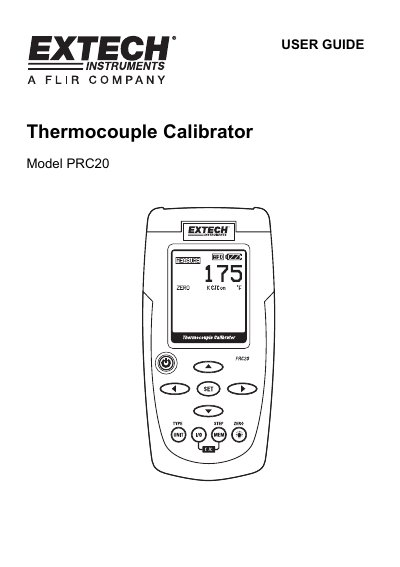
Extech PRC20 Thermocouple Calibrator User Guide
This user guide explains how to operate the Extech Model PRC20 thermocouple calibrator, including setting temperature units, selecting thermocouple types, and using source or measure modes. Safety precautions and battery replacement instructions are included. The device supports multiple thermocouple types and offers memory storage for calibration values.
The PRC20 is designed for accurate temperature measurement and sourcing, with features like cold junction compensation, auto power-off, and a dot matrix LCD display. It operates within a temperature range of 5°C to 40°C and is powered by six AA batteries or an AC adaptor.
Extech PRC20 specifications
| Display | Dot matrix LCD |
|---|---|
| Cold junction compensation | 0.02°F per °F (0.03°C per °C) |
| Meter Power | 6 AA batteries or AC adaptor |
| Operating Temperature | 5ºC to 40ºC (41ºF to 104ºF) |
| Operating Humidity | Max 80% up to 87ºF (31ºC) decreasing linearly to 50% at 104ºF (40ºC) |
| Dimensions | 159 x 80 x 44 mm (6.3 x 3.2 x 1.7") |
| Weight | 225g (8 oz.) without batteries |
All Extech PRC20 documents by type
Day-to-day operation, settings and troubleshooting. Start here if the product is already set up.
Questions answered in these manuals
How do I turn off the auto power-off feature?
Press and hold the POWER button until the display icon “ATP” turns off.
What thermocouple types are supported?
The PRC20 supports J, K, T, E, C, R, S, N, and mV thermocouple types.
How do I turn the CJC on or off?
Simultaneously press the I/O and MEM buttons to turn the CJC (cold junction compensation) on or off. The CJC icon will indicate the status.
What happens if the battery icon flashes?
Replace the battery as soon as possible. Low battery power may cause inaccurate readings and erratic meter operation.