
Key facts
- Brand
- D-Link
- Model
- DAP-1530
- Industry
- Electronics
- Documents
- 2
- Languages
- ZH · EN
- Last added
- 2026-11-22
Start here
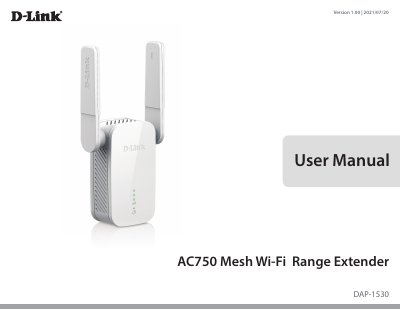
D-Link DAP-1530 AC750 Mesh Wi-Fi Range Extender User Manual
The D-Link DAP-1530 is an AC750 Mesh Wi-Fi Range Extender. This user manual covers product overview, package contents, system requirements, hardware layout, installation, and getting started with WPS-PBC and the D-Link Wi-Fi app.
It also documents the wireless setup wizard, access point mode, extender and network settings, management options, Wi-Fi Mesh setup, connecting wireless clients, troubleshooting, wireless basics, technical specifications, and regulatory statements.
D-Link DAP-1530 specifications
| Wireless Standards | IEEE 802.11ac, 802.11a, 802.11n, 802.11g, 802.11b |
|---|---|
| Wireless Frequency Range | 2.4 GHz to 2.4835 GHz, 5.18 MHz to 5.85 MHz |
| Maximum Power Consumption | 7.5 W |
| Operating Temperature | 0 to 40 ˚C (32 to 104 ˚F) |
| Dimensions | 50 x 97 x 48 mm |
| Weight | 139 grams (4.9 ounces) |
Source: D-Link DAP-1530 AC750 Plus Wi-Fi Range Extender User Manual
All D-Link DAP-1530 documents by type
Day-to-day operation, settings and troubleshooting. Start here if the product is already set up.
Questions answered in these manuals
How do I set up the DAP-1530 using WPS?
Press the WPS button on the extender and then press the WPS button on your router within 2 minutes to establish a connection.
From: D-Link DAP-1530 AC750 Plus Wi-Fi Range Extender User Manual
What is the maximum wireless speed supported?
Up to 1200 Mbps with other 802.11ac wireless devices.
From: D-Link DAP-1530 AC750 Plus Wi-Fi Range Extender User Manual
What is the DAP-1530 used for?
The DAP-1530 acts as a repeater to extend the range of an existing wireless network. It can also be used as a wireless access point by connecting an Ethernet cable.
From: D-Link DAP-1530 AC750 Mesh Wi-Fi Range Extender User Manual
How do I reset the DAP-1530 to factory defaults?
Use an unfolded paperclip to press and hold the reset button on the bottom of the DAP-1530 for 10 seconds.
From: D-Link DAP-1530 AC750 Mesh Wi-Fi Range Extender User Manual