
Key facts
Start here
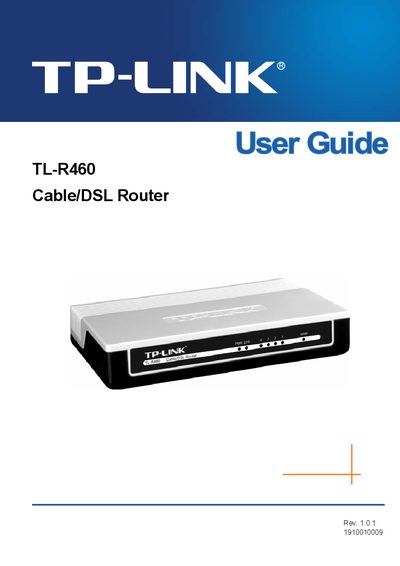
TP-Link TL-R460 Cable/DSL Router User Guide
The TL‑R460 Cable/DSL Router is designed for Small Office/Home Office (SOHO) networks. It integrates a 4‑port 10/100 Mbps switch, built‑in NAT and DHCP server, firewall, and supports VPN pass‑through, Virtual Server, Port Triggering, DMZ, and remote management.
The guide covers hardware installation, quick setup, detailed configuration of networking features, security settings, and system tools. Appendices provide specifications, a FAQ, and a glossary of networking terms.
TP-Link TL-R460 specifications
| WAN port | 1 x 10/100M Auto‑Negotiation RJ45 (MDI/MDIX) |
|---|---|
| LAN ports | 4 x 10/100M Auto‑Negotiation RJ45 (MDI/MDIX) |
| Ethernet standards | IEEE802.3 10Base‑T, IEEE802.3u 100Base‑TX |
| Supported internet access types | PPPoE, Dynamic IP, Static IP, L2TP, PPTP, BigPond |
| Security filtering | IP address, MAC address, and domain name filtering |
| QoS | IP based bandwidth control |
| Power supply | External power adapter |
| Certifications | CE, FCC |
| Operating temperature | 0°C to 40°C (32°F to 104°F) |
| Dimensions (L×W×H) | 6.5 x 43 x 1.1 in (165 x 108 x 28 mm) |
Source: TP-Link TL-R460 Cable/DSL Broadband Router User Manual
All TP-Link TL-R460 documents by type
Day-to-day operation, settings and troubleshooting. Start here if the product is already set up.
Questions answered in these manuals
Which internet connection types does the TL‑R460 support?
It supports PPPoE, Dynamic IP, Static IP, L2TP, PPTP and BigPond connections.
From: TP-Link TL-R460 Cable/DSL Broadband Router User Manual
What security filtering options are available on the TL‑R460?
The built‑in firewall provides IP address filtering, MAC address filtering, and domain name filtering.
From: TP-Link TL-R460 Cable/DSL Broadband Router User Manual
How do I access the router’s web management interface?
Enter http://192.168.1.1:88 in a web browser to reach the router’s LAN IP address on the web management port.
What is the default remote management IP address?
The default remote management IP address is 255.255.255.255.