
Key facts
- Brand
- Ricoh
- Model
- R30
- Category
- Digital cameras
- Industry
- Electronics
- Documents
- 7
- Languages
- EN · FR · DE · IT · JA · ES
- Last added
- 2012-07-09
Start here
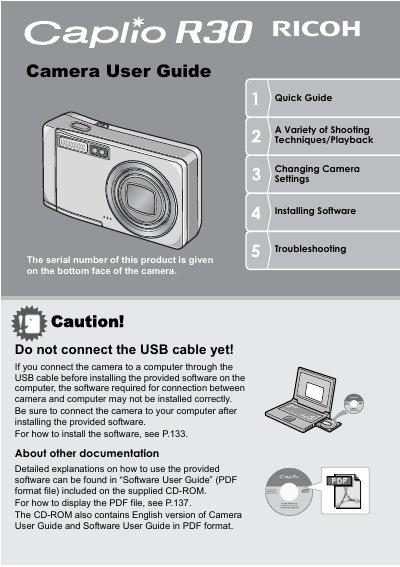
Ricoh Caplio R3G Camera User Manual
This user manual provides instructions for using the Ricoh Caplio R3G digital camera, including safety precautions, battery management, and software installation. It details how to set up the device, use the LCD monitor, and configure basic settings such as language and date/time.
Read onlineRicoh R30 specifications
| Zoom optical | 5.7x (28 - 160 mm) |
|---|---|
| Macro distance | 1 cm |
| Flash range (Tele) | 14 cm |
| Flash range (Wide) | 20 cm |
| Video resolution | 320 x 240 pixels |
All Ricoh R30 documents by type
Day-to-day operation, settings and troubleshooting. Start here if the product is already set up.
- Ricoh Caplio R3G Camera User Manual 184 p
- Ricoh Caplio R30 Digital Camera User Guide 184 p
- Ricoh Caplio R30 Digital Camera User Manual 184 p
- Ricoh Caplio R3G Digital Camera User Manual 184 p
- Ricoh Caplio R30 Digital Camera User Manual 182 p
- RICOH Caplio R30 Manual(2)
- Ricoh Caplio R30 Digital Camera User Guide 184 p
Questions answered in these manuals
What is the shutter release time lag for this camera?
The shutter release time lag is as short as approximately 0.1 seconds.
What are the dimensions of this camera's body?
This product has a compact body that is only 26 mm thick.
Where is the serial number located?
The serial number of this product is engraved under the camera.
Can I connect the camera to a computer before installing software?
No, do not connect via USB until the provided software is installed on the computer.
Where is the serial number located?
The serial number can be found on the underside of the camera.
What should I do before connecting the USB cable to a computer?
You must install the provided software on your computer first, otherwise the connection may not work correctly.