
Key facts
- Brand
- Ricoh
- Model
- Caplio R5
- Category
- Digital cameras
- Documents
- 10
- Languages
- EN · FR · DE · IT · JA · ES · ZH
- Last added
- 2012-07-09
Start here
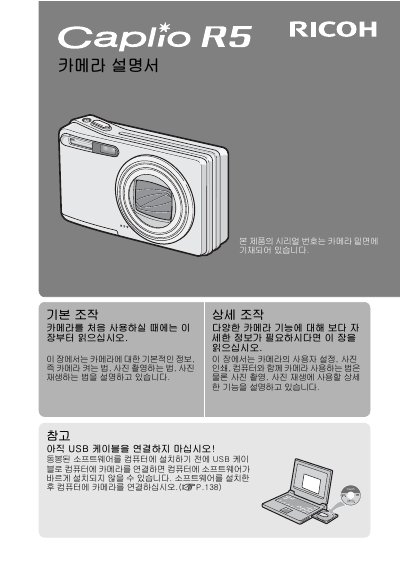
Ricoh Caplio R5 Camera User Manual
This document is the user guide for the Ricoh Caplio R5 digital camera. It contains instructions in Japanese and English for setting up the camera, taking photos, and managing images. The guide explains how to use the LCD screen, SD card, and various shooting modes. This manual is written in Japanese.
Read onlineRicoh Caplio R5 specifications
| Focal Length | 28-200 mm |
|---|---|
| Image Resolution | 640 x 480 pixels |
| Frame Rate | 30 fps |
| Shutter Lag | 0.1 seconds |
All Ricoh Caplio R5 documents by type
Day-to-day operation, settings and troubleshooting. Start here if the product is already set up.
- Ricoh Caplio R5 Camera User Guide 191 p
- Ricoh Caplio R5 Digital Camera User Manual 191 p
- Ricoh Caplio R5 Digital Camera User Manual 191 p
- Ricoh Caplio R5 Digital Camera User Manual 191 p
- Ricoh Caplio R5 User Manual 190 p
- Ricoh Caplio R5 Camera User Manual 192 p
- Ricoh Caplio R5 Camera User Manual 191 p
- Ricoh Caplio R5 Digital Camera User Manual 191 p
- Ricoh Caplio R5 Camera User Manual 191 p
Questions answered in these manuals
What is the shutter release time lag of the Ricoh Caplio R5?
The shutter release time lag is as short as approximately 0.1 seconds.
What are the dimensions of the Ricoh Caplio R5 camera body?
The camera has a compact body that is only 26 mm thick.
What is the minimum distance for macro photography?
The camera allows you to capture details from as close as 1 cm.
How fast does the shutter respond?
The shutter response time is approximately 0.1 second.
Where is the serial number located?
The serial number can be found on the underside of the camera.
Can I take macro shots?
Yes, the camera allows macro shots with a distance of only 1 cm to the subject.