
Key facts
- Brand
- Ricoh
- Model
- Caplio R2
- Category
- Digital cameras
- Documents
- 8
- Languages
- FR · IT · JA · ES · ZH
- Last added
- 2012-07-09
Start here
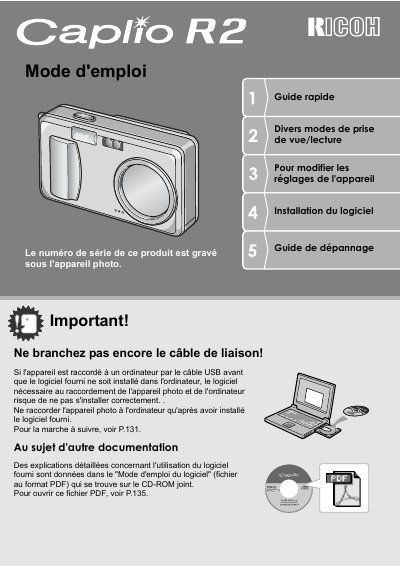
Ricoh Caplio R2 Digital Camera User Guide
This document is the French user manual for the Ricoh Caplio R2 digital camera. It provides essential safety warnings, such as ensuring software installation before connecting via USB, and details on battery usage including rechargeable batteries and AA cells.
The guide covers a wide range of topics from basic setup to advanced features like macro photography at 1cm distance and hybrid autofocus technology. It includes instructions for using the Scene mode, transferring images to computers or printers directly, and managing playback functions. This manual is written in French.
Ricoh Caplio R2 specifications
| Zoom optical | 4.8x |
|---|---|
| Focal length equivalent | 28 - 135 mm |
| Shutter speed reaction time | 0,1 seconde |
| Macro distance | 1 cm |
| Flash close-up distance (Tele) | 13 cm |
| Flash close-up distance (Wide) | 20 cm |
| Video resolution | 320 x 240 pixels |
| Video frame rate | 30 images/seconde |
All Ricoh Caplio R2 documents by type
Day-to-day operation, settings and troubleshooting. Start here if the product is already set up.
- Ricoh Caplio R2 Digital Camera User Guide 172 p
- Ricoh Caplio RZ Digital Camera User Guide 172 p
- Ricoh Caplio RZ Quick Start Guide 172 p
- Ricoh Caplio R2 Digital Camera User Manual 172 p
- Ricoh Caplio R2 Quick Start Guide 172 p
- Ricoh Caplio R2 Quick Start Guide 172 p
- Ricoh Caplio R2 Digital Camera User Manual 172 p
Questions answered in these manuals
Can I connect the camera to a computer before installing software?
No, you must install the provided software first. Connecting via USB before installation may prevent the necessary connection software from being installed correctly.
What type of batteries are accepted?
The camera accepts rechargeable long-life special batteries or standard AA alkaline batteries. It also supports an optional AC adapter.
What is the recommended order for connecting the camera to a computer?
Install the software first, then connect the camera via USB cable.
Can images be printed directly without a computer?
Yes, by connecting a compatible printer to the camera via USB cable.
Where is the serial number located?
The serial number is printed on the bottom side of the camera.
Can I connect the camera to a computer before installing the software?
No, you must install the software first before connecting the camera via USB cable.