
PD7007 Quick Start Guide

This file is PD7007 product's quick start guide
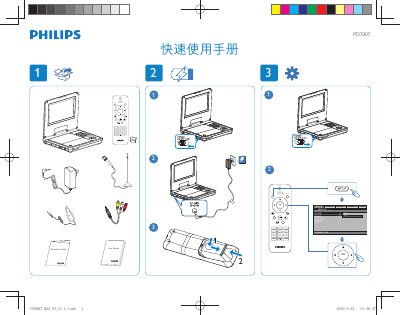

PD7007 Quick Start Guide - cover page
Brand
Philips
Document type
Quick Start Guide
Language
Chinese
Pages
2
File format
PDF
File size
1.5 MB
Published
28 February, 2012
Updated
30 September, 2023
Models
PD7007, PD700
MD5 checksum
2113A842CBABEA4C1F4D954CDF8DF31A

About this manual

The PD7007 quick manual provides an overview of the remote’s button layout and basic functions.

It lists the available controls such as Source, Setup, Mute, Subtitle, Repeat, Audio, Zoom, TV Audio, channel selection, numeric keypad, OK and menu access. This manual is written in Chinese.

What's inside

  • Button Layout
  • Function Keys
  • Label Side

Frequently asked questions

What buttons are available on the PD7007 remote?

The remote includes buttons for Source, Setup, Mute, Subtitle, Repeat, Audio, Zoom, TV Audio, channel plus/minus, numeric keys 0‑9, OK and Display Menu.

How do you access the menu on the PD7007?

Press the OK button followed by the DISPLAY MENU button to open the menu.

Download PDF (1.5 MB)

More Philips Manuals


View all Philips manuals →