
Key facts
- Brand
- Philips
- Model
- HTS9800W
- Category
- Home Speakers
- Industry
- Appliances
- Documents
- 5
- Languages
- EN · ZH
- Last added
- 2012-03-26
Start here
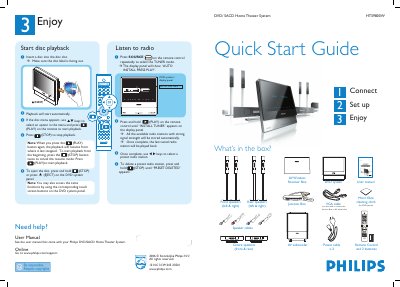
Philips HTS9800W Home Theater System Quick Start Guide
This guide walks you through the contents of the Philips HTS9800W Home Theater System package and shows how to connect the speakers, subwoofer, junction box, and AV wireless receiver. It also explains how to set up the TV viewing channel, select the system language, and perform the automatic radio station installation.
After the initial setup, the guide details basic playback functions such as inserting a disc, starting and stopping playback, and using the remote control to navigate menus. It includes speaker placement tips for optimal sound and troubleshooting pointers for wireless interference.
Philips HTS9800W specifications
| Disc slot | Accepts DVD and SACD discs |
|---|---|
| Power cables | 2 pieces |
| VGA cable | Used to connect Junction Box to AV subwoofer |
Source: Philips HTS9800W Home Theater System Quick Start Guide
All Philips HTS9800W documents by type
Day-to-day operation, settings and troubleshooting. Start here if the product is already set up.
The shortest path to a working setup, usually only a few pages.
Questions answered in these manuals
How do I delete a preset radio station?
Press and hold the STOP button until “PRESET DELETED” appears on the display.
From: Philips HTS9800W Home Theater System Quick Start Guide
How can I start playback from the beginning?
Press the STOP button twice to cancel the resume mode, then press PLAY.
From: Philips HTS9800W Home Theater System Quick Start Guide
What type of plug is fitted on the HTS9800W?
The unit is fitted with an approved 13 Amp plug that should use a 5 Amp fuse.
How should discs be cleaned for use with the HTS9800W?
Use a micro‑fibre cleaning cloth and wipe the disc from the centre to the edge in a straight line; do not use solvents.
What is the model number of this home theater system?
The model number is HTS9800W.
Where can I find the serial number on the unit?
The serial number is located on the bottom or rear of the DVD system.