
Key facts
- Brand
- Philips
- Model
- RWSS5510
- Category
- Home Speakers
- Industry
- Computers
- Documents
- 5
- Languages
- EN · ZH
- Last added
- 2012-03-26
Start here
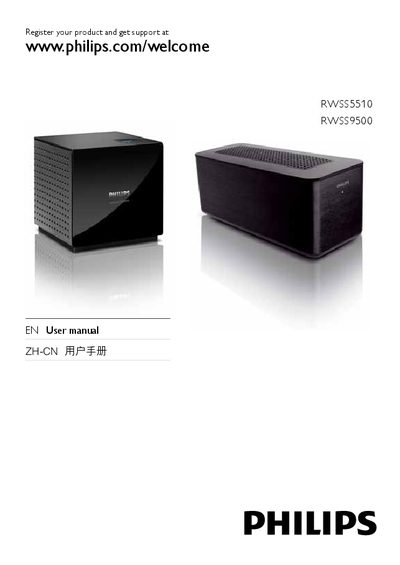
Philips RWSS5510 and RWSS9500 User Manual
This manual provides registration information, safety notices, and detailed instructions for the Philips RWSS5510 and RWSS9500 wireless rear‑audio receivers. It explains how to connect the devices, perform pairing, and configure rear‑left/right audio channels.
Technical specifications such as input voltage, frequency range, noise level, and sound pressure level are listed, along with environmental compliance details and hazardous‑substance labeling required for European regulations.
Philips RWSS5510 specifications
| Input voltage (RWSS5510) | 110‑240 V |
|---|---|
| Input voltage (RWSS9500) | 110‑240 V |
| Frequency (RWSS5510) | 50‑60 Hz |
| Frequency (RWSS9500) | 50‑60 Hz |
| Sound pressure level (RWSS5510) | 65 dB (A) |
| Sound pressure level (RWSS9500) | 65 dB (A) |
| Impedance (RWSS5510) | 117 Ω |
All Philips RWSS5510 documents by type
Day-to-day operation, settings and troubleshooting. Start here if the product is already set up.
Questions answered in these manuals
How do I pair the Philips RWSS5510 receiver?
Press the pairing button until the device shows the “PAIRING SUCCESS” message, indicating a successful connection.
What is the recommended power supply voltage for the wireless receiver?
Use a power supply that matches the voltage printed on the back or underside of the product.
From: Philips RWSS5510 / RWSS9500 Wireless Rear Audio System User Manual
How can I ensure the best wireless reception between the receiver and the home theater?
Place the wireless receiver so that the line‑of‑sight to the home theater is not blocked by furniture, walls, or other objects.
From: Philips RWSS5510 / RWSS9500 Wireless Rear Audio System User Manual
How do I connect the wireless receiver?
Place the wireless receiver near an AC outlet between the rear speakers, align it with the home theater so the Philips logo faces the theater, and connect the power cord.
What should I do if there is no sound from the rear speakers?
Disconnect the power cord and speaker cables from the wireless receiver for about a minute, then reconnect them, turn the home theater off and on again, and ensure the receiver is set to the correct source.
What should I do if the rear speakers produce no sound and the receiver indicator keeps flashing?
Disconnect the power and speaker cables from the receiver for one minute, place the receiver near the home theater, power the receiver back on, and follow the pairing steps until the indicator shows "PAIRED".
From: Philips RWSS5510 RWSS9500 Wireless Rear Audio System User Manual