
Key facts
- Brand
- Philips
- Model
- BDP7300
- Category
- Player
- Industry
- Appliances
- Documents
- 4
- Languages
- ZH · EN
- Last added
- 2012-03-26
Start here
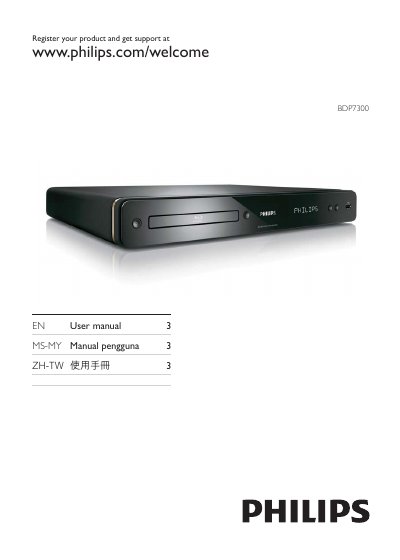
Philips BDP7300 Blu-ray Player User Manual
The BDP7300 is a Philips Blu‑ray player that supports high‑definition video up to 1080p, multi‑channel audio formats and network connectivity. This manual guides users through safe installation, connecting cables, and using the remote control.
Key sections cover safety warnings, product overview, connection methods (HDMI, component, CVBS, USB, LAN), getting started steps, playback features such as BONUSVIEW picture‑in‑picture, settings adjustments, software updates, and a troubleshooting guide.
Philips BDP7300 specifications
| Aspect Ratio | 16:9, 4:3 |
|---|---|
| Supported Video Resolutions | 720p, 1080i, 1080p |
| Audio System | DTS‑HD Master Audio, Dolby TrueHD, Dolby Digital Plus, DTS, Dolby Digital |
| HDMI Output | Available |
| USB Port | USB 2.0 |
| Power Consumption (Operating) | 32 W |
| Power Consumption (Standby) | 0.25 W |
| Dimensions (W×H×D) | 435 mm × 58 mm × 308 mm |
| Weight | 3.42 kg |
All Philips BDP7300 documents by type
Day-to-day operation, settings and troubleshooting. Start here if the product is already set up.
Questions answered in these manuals
How do I connect the BDP7300 to a TV?
Use the HDMI cable or the composite video/audio cable to connect the player to the TV.
How can I set up parental controls on the BDP7300?
Select the Parental Control menu, change the PIN, and enable or disable the feature as needed.
How do I register my Philips BDP7300 for support?
Visit www.philips.com/welcome and register your product to receive support and updates.
What video resolution does the BDP7300 support?
It supports Full HD 1080p, 1080i, and 720p resolutions.
Which audio formats are supported?
The player supports DTS‑HD Master Audio, Dolby TrueHD, Dolby Digital Plus, DTS, and Dolby Digital.