
The Philips Blu-ray Disc Player BDP7300 offers high-definition video and rich colors with Full HD 1080p and x.v. Colour support. It can upgrade DVD video to 1080p through HDMI, and features DivX Ultra, as well as Dolby TrueHD and DTS HD MA audio.
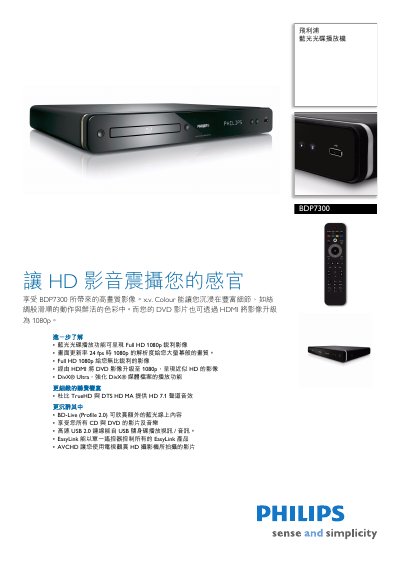
The Philips BDP7300 is a Blu‑ray Disc player that delivers Full HD 1080p video, high‑resolution audio formats such as DTS‑HD Master Audio and Dolby TrueHD, and supports a wide range of media including BD‑Video, DVD, CD, and USB drives. Features like EasyLink and HDMI CEC let you control multiple devices with a single remote.
This manual explains how to connect the player via HDMI, digital audio, and analog outputs, how to use the remote and EasyLink functions, and provides detailed specifications for video, audio, power consumption, dimensions, and accessories. It also includes safety information and troubleshooting tips. This manual is written in Chinese.
| Aspect Ratio | 16:9, 4:3 |
|---|---|
| Supported Video Resolutions | 720p, 1080i, 1080p |
| Audio System | DTS‑HD Master Audio, Dolby TrueHD, Dolby Digital Plus, DTS, Dolby Digital |
| HDMI Output | Available |
| USB Port | USB 2.0 |
| Power Consumption (Operating) | 32 W |
| Power Consumption (Standby) | 0.25 W |
| Dimensions (W×H×D) | 435 mm × 58 mm × 308 mm |
| Weight | 3.42 kg |
It supports Full HD 1080p, 1080i, and 720p resolutions.
The player supports DTS‑HD Master Audio, Dolby TrueHD, Dolby Digital Plus, DTS, and Dolby Digital.
Using EasyLink and HDMI CEC, one remote can control all HDMI‑CEC‑compatible devices.
The unit requires 220‑240 V, 50/60 Hz, consumes 32 W during operation and 0.25 W in standby.