
Key facts
- Brand
- Philips
- Model
- SA22
- Category
- MP3 Player
- Industry
- Electronics
- Documents
- 6
- Languages
- ZH · EN
- Last added
- 2026-11-10
Start here
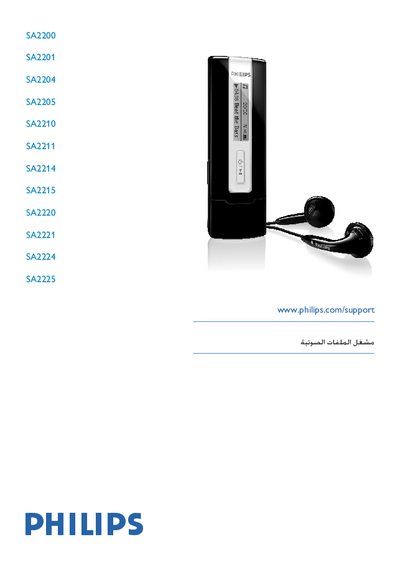
PHILIPS SA2200/2201/2204/2205/2210/2211/2214/2215/2220/2221/2224/2225 user manual
This manual provides essential safety instructions, product identification details, and setup guidance for all Philips SA2200 series models (SA2200, SA2201, SA2204, SA2205, SA2210, SA2211, SA2214, SA2215, SA2220, SA2221, SA2224, SA2225). It includes information on how to install, operate, and maintain the device safely.
Additional sections cover troubleshooting tips, technical specifications, warranty details, and contact information for Philips support worldwide.
Philips SA22 specifications
| Power | 190 mAh built-in polymer rechargeable battery; 18 hours playback |
|---|---|
| Connectivity | 3.5 mm headphone jack, USB 2.0 high speed |
| Sound | Channel separation 40 dB; frequency response 40–18000 Hz; output power 7 mW; SNR >80 dB |
| Audio playback | MP3, 8–320 kbps bit rate, 8–48 kHz sampling rate |
| Storage | 8 GB built-in NAND memory |
| Display | White backlit OLED, 96×64 pixels |
| System requirements | Windows XP / 7 / Vista / Mac OS 10; Pentium-133MHz CPU; 32MB RAM; 100MB free disk space; USB port |
All Philips SA22 documents by type
Day-to-day operation, settings and troubleshooting. Start here if the product is already set up.
- Philips SA22 MP3 Player User Manual 18 p
- Philips SA2200 SA2201 SA2204 SA2205 SA2210 SA2211 SA2214 SA2215 SA2220 SA2221 SA2224 SA2225 audio player user manual 21 p
- PHILIPS SA2200 SA2201 SA2204 SA2205 SA2210 SA2211 SA2214 SA2215 SA2220 SA2221 SA2224 SA2225 Manual 21 p
- PHILIPS SA2200 SA2201 SA2204 SA2205 SA2210 SA2211 SA2214 SA2215 SA2220 SA2221 SA2224 SA2225 Audio frequency player Manual 21 p
- PHILIPS SA2200/2201/2204/2205/2210/2211/2214/2215/2220/2221/2224/2225 user manual 24 p
- Philips SA2215 Digital MP3 Player User Manual 2 p
Questions answered in these manuals
How do I reset the SA22 if it freezes or does not work properly?
Insert a pen tip or similar object into the reset hole at the bottom of the SA22 and press until the player switches off, then hold the power button to switch it on again. This does not lose data.
How do I charge the SA22?
The SA22 has a built-in battery that is charged through the USB port of a computer using the supplied USB cable.
How do I safely disconnect the player from the computer?
Exit the application using the player, then click the safe‑remove icon in the Windows taskbar before unplugging the USB cable.
From: PHILIPS SA2200 SA2201 SA2204 SA2205 SA2210 SA2211 SA2214 SA2215 SA2220 SA2221 SA2224 SA2225 Manual
How can I check the battery level on the player?
The battery indicator on the screen shows four states: full, two‑thirds full, half full, low, and empty. When the battery is low, the indicator flashes and the player will shut down after about 60 seconds.
From: PHILIPS SA2200 SA2201 SA2204 SA2205 SA2210 SA2211 SA2214 SA2215 SA2220 SA2221 SA2224 SA2225 Manual
Where can I find support and downloads for the player?
Visit www.philips.com/support, where full support materials and downloads are available.
What audio formats can the player play?
The text states that the player can play MP3 and WWMA audio.